


Laser cutter homing failure occurs when a laser machine cannot return to its reference position correctly, resulting in positioning errors, alarm triggers, and unexpected production downtime. This issue is one of the most common faults I encounter during daily maintenance and troubleshooting of laser cutting systems. If you’re facing this problem, you’re in the right place. In this article, I’ll guide you step by step on how to diagnose and fix laser cutter homing failure effectively, ensuring your machine returns to normal operation quickly, safely, and with stable accuracy for continuous production.
Zrozumienie Przecinarka laserowa Homing Failure
What Is Homing in a Laser Cutter?
Homing is the process where the laser cutter moves to a predefined reference point using limit switches or sensors. This establishes the machine’s coordinate system and ensures accurate positioning during cutting operations.
Why Laser Cutter Homing Failure Happens
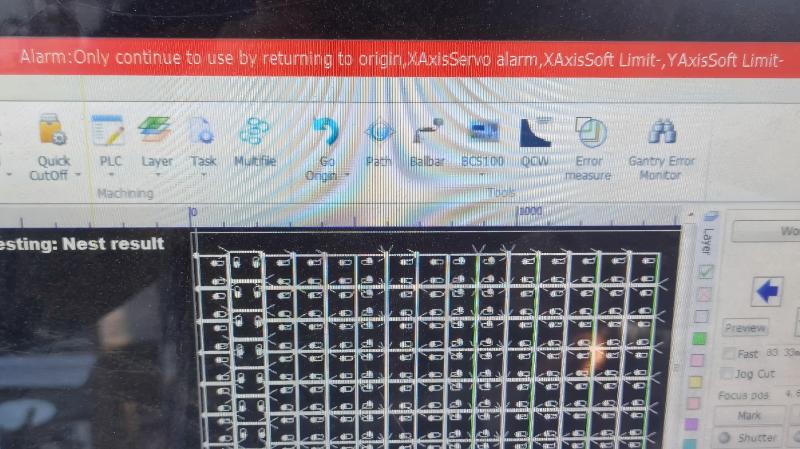
A laser cutter homing failure occurs when the machine cannot detect the home position. This may be caused by sensor issues, wiring problems, mechanical obstruction, or CNC control system errors.
Step-by-Step Guide to Fix Laser Cutter Homing Failure
Step 1: Check Limit Switches and Sensors
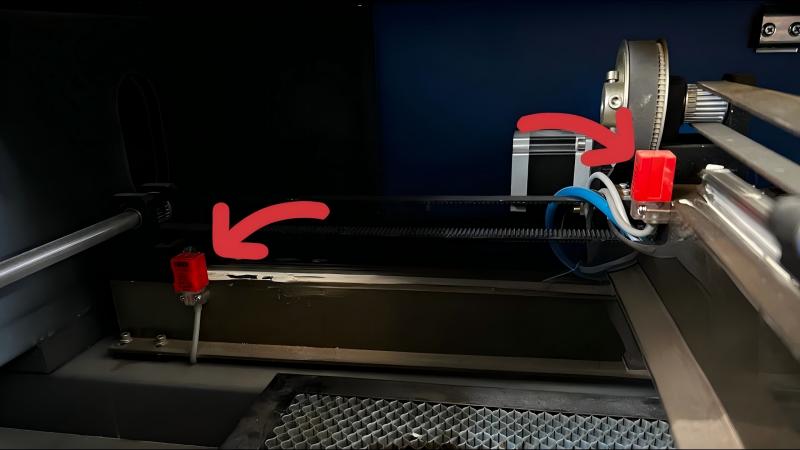
I always start by inspecting the limit switches or photoelectric sensors. Dust, misalignment, or damage can prevent proper signal detection. Clean the sensors and ensure they are properly positioned.
Step 2: Inspect Wiring Connections
Loose or broken wiring is a common cause of homing failure. Check all sensor cables, connectors, and terminal blocks for continuity and secure connection.
Step 3: Verify Mechanical Movement
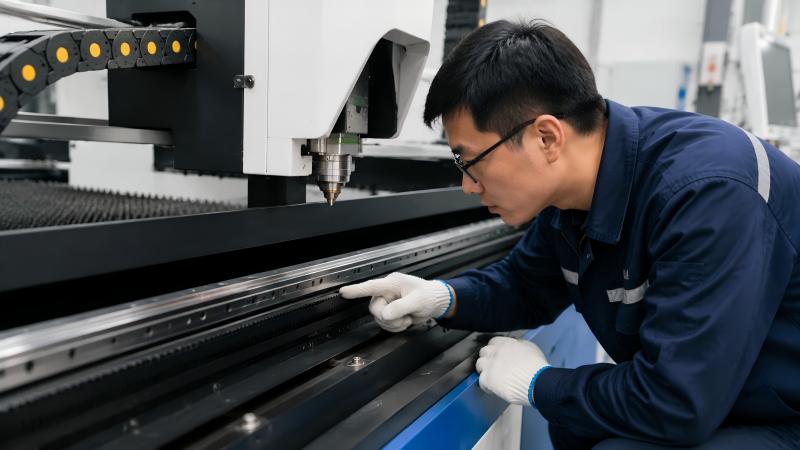
Manually move the axis (if safe) to ensure there is no physical blockage. Check rails, guide systems, and motors for jamming or abnormal resistance.
Step 4: Check CNC Controller Alarm Codes
Most CNC systems will display an alarm code when homing fails. I recommend checking the controller manual to identify the exact error source and apply the correct reset procedure.
Step 5: Reset Machine Parameters
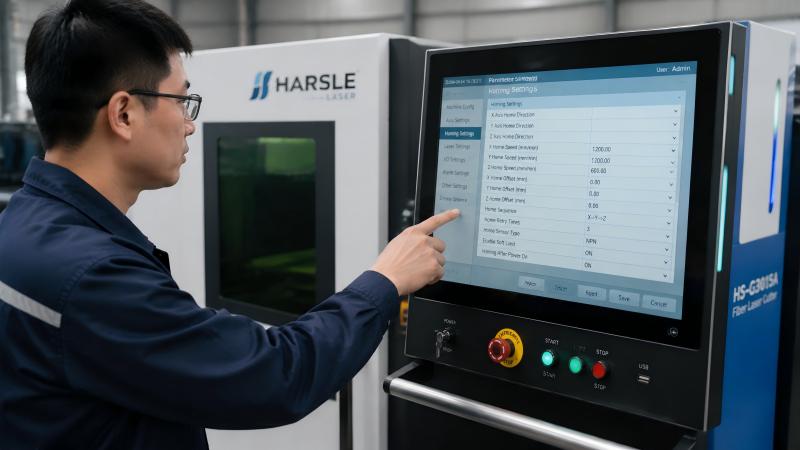
Incorrect or corrupted homing parameters in the CNC system can also trigger failure. Restore default homing settings and recalibrate axis reference points.
Step 6: Test Homing Sequence Again
After troubleshooting, restart the machine and run the homing sequence again. Observe each axis carefully to confirm smooth and correct movement.
Common Causes of Laser Cutter Homing Failure
Dirty or Damaged Sensors
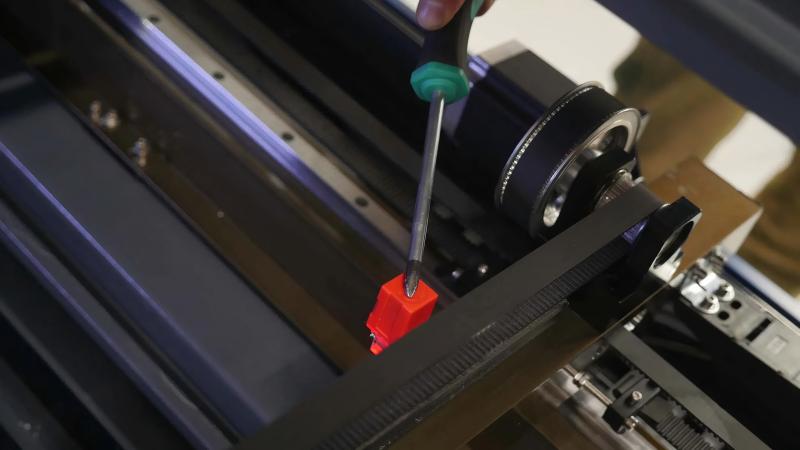
Sensors blocked by dust or oil cannot detect signals accurately.
Electrical Signal Interruption
Faulty wiring or unstable power supply can interrupt homing signals.
Mechanical Misalignment
Guide rails or motion systems that are out of alignment may prevent proper homing.
CNC System Errors
Software glitches or incorrect configuration can also lead to homing failure.
Wskazówki dotyczące konserwacji zapobiegawczej
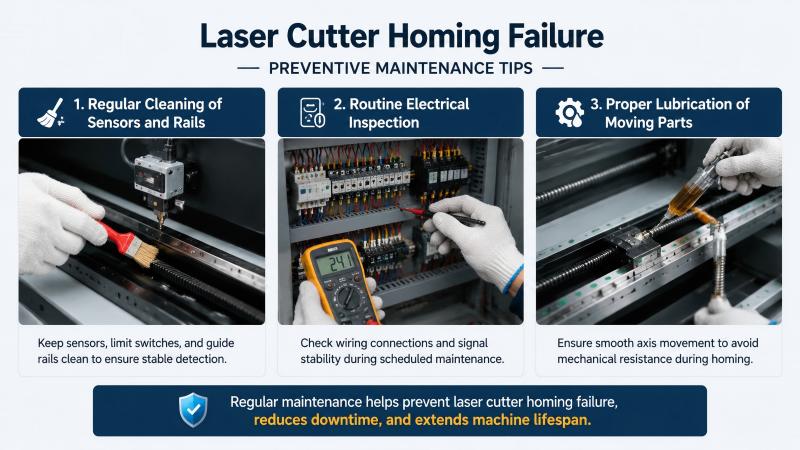
Regular Cleaning of Sensors and Rails
Keep sensors, limit switches, and guide rails clean to ensure stable detection.
Rutynowa kontrola elektryczna
Check wiring connections and signal stability during scheduled maintenance.
Proper Lubrication of Moving Parts
Ensure smooth axis movement to avoid mechanical resistance during homing.
Często zadawane pytania
What is the most common reason for laser cutter homing failure?
In most cases, dirty or misaligned limit sensors are the primary cause of laser cutter homing failure.
Can I fix homing failure without technical support?
Yes, many cases can be solved by cleaning sensors, checking wiring, and resetting parameters.
Does homing failure damage the machine?
Not directly, but repeated failed attempts can cause unnecessary mechanical stress.
Wniosek
Ustalenie laser cutter homing failure requires a systematic approach, starting from sensors, wiring, mechanical inspection, and CNC settings. By following these steps, I can usually restore the machine quickly and avoid unnecessary downtime.
If the issue persists after troubleshooting, I recommend contacting our technical team for further assistance. Regular maintenance and proper inspection are the best ways to prevent homing failures and ensure long-term machine stability.


