


Hydraulic Press Control Buttons may stop working because of damaged switches, loose electrical connections, power supply problems, or faults in the machine’s safety and control circuits. When a button fails to respond, it can interrupt production and create potential safety risks. I recommend checking the control panel, electrical components, and safety system before attempting repairs. In this guide, I’ll explain the common causes of hydraulic press button failures, how to troubleshoot them safely, and practical maintenance measures to prevent similar problems.
What Causes Hydraulic Press Control Buttons to Stop Working?
Damaged or Worn Control Buttons
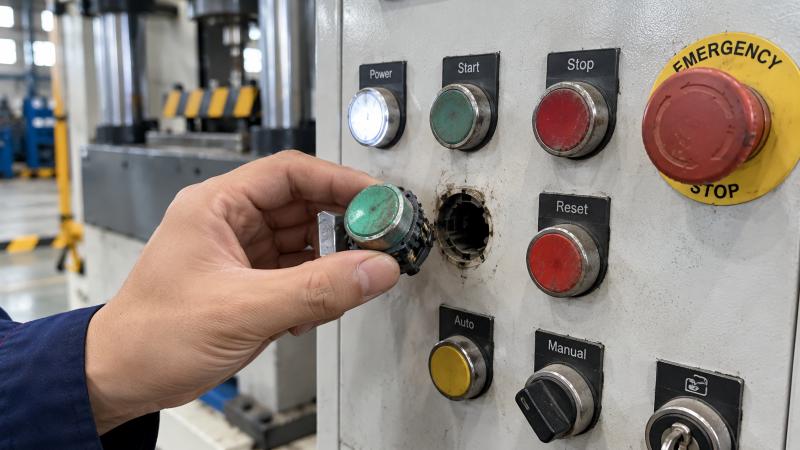
Frequent operation can gradually wear out push-button switches and their internal electrical contacts.
Broken springs, damaged contact blocks, or mechanical sticking may prevent a button from transmitting the correct signal.
Dust, oil, and moisture can also enter poorly sealed switches and interfere with normal operation.
Loose or Damaged Electrical Connections
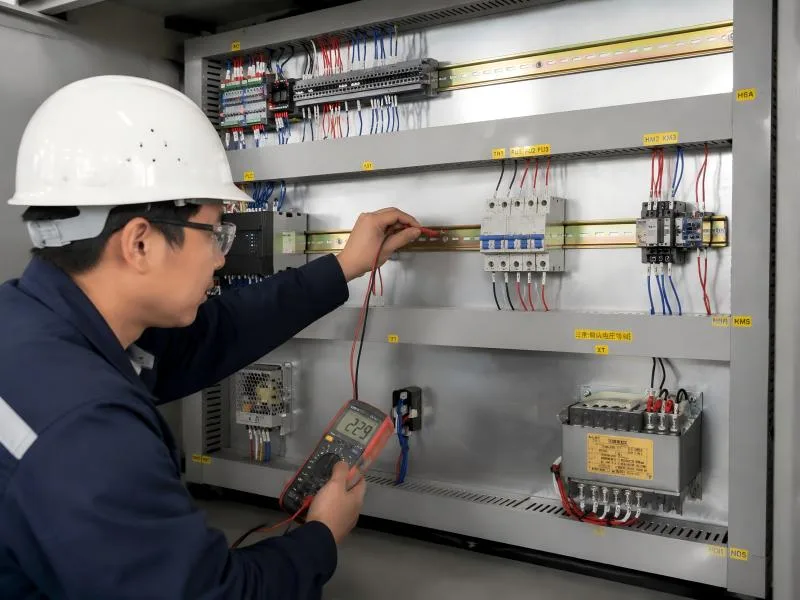
Loose terminals, broken wires, and corroded electrical connectors can interrupt communication between the control buttons and the control system.
Machine vibration and repeated operation may gradually loosen electrical connections, causing intermittent button failures.
Power Supply or Control Circuit Problems
Hydraulic press control circuits require a stable electrical supply.
Blown fuses, defective power supplies, damaged relays, or faulty contactors may prevent the buttons from operating correctly.
If several control buttons stop responding simultaneously, I recommend investigating the shared control power supply first.
Emergency Stop or Safety Interlock Activation
An activated emergency stop button, open safety guard, or triggered safety interlock may prevent certain machine functions from operating.
Safety relays and monitoring circuits can also inhibit operation when they detect abnormal conditions.
These protective functions should never be bypassed during troubleshooting.
PLC or Control System Malfunctions
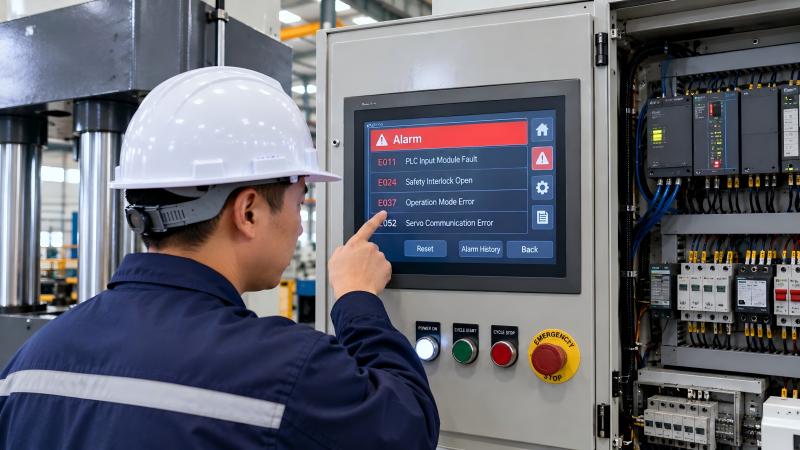
Many hydraulic presses use programmable logic controllers (PLCs) to process button signals and control machine movements.
Incorrect operating modes, input module failures, software faults, or controller alarms may prevent commands from being executed.
How to Troubleshoot Hydraulic Press Control Button Failures
Step 1: Check the Control Panel and Button Condition
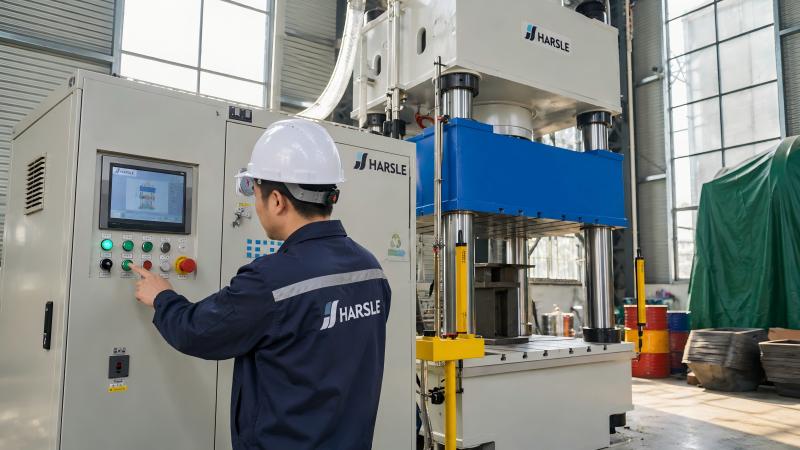
I recommend starting with a visual inspection of the control panel.
Check whether the affected buttons are physically damaged, stuck, loose, or contaminated.
Identify whether the problem affects one button or several controls.
Before opening the panel or removing components, qualified personnel must isolate electrical power and follow lockout/tagout procedures.
Step 2: Verify the Electrical Power Supply
Check the machine’s power indicators and controller status.
Qualified electrical technicians should inspect control circuit fuses, power supplies, and protective devices using appropriate testing equipment.
Compare measured voltages with the manufacturer’s electrical specifications.
Replace defective components only after identifying the underlying cause.
Step 3: Inspect Wiring and Electrical Contacts
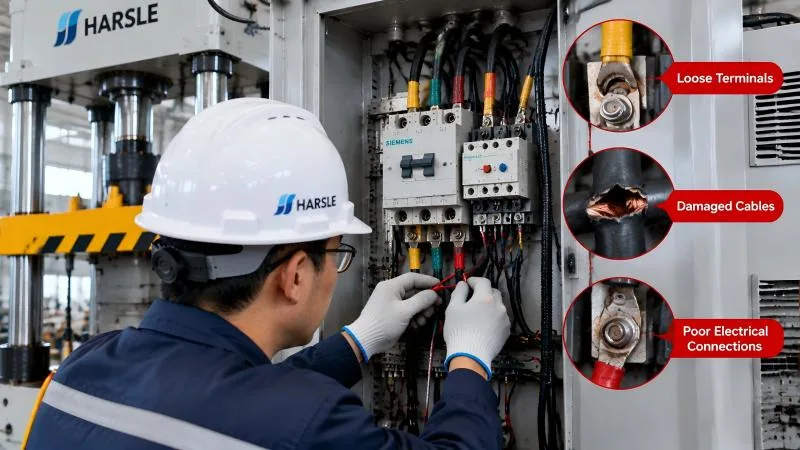
After safely isolating the equipment and verifying the absence of voltage, inspect button terminals, wiring connections, and contact blocks.
Look for loose connections, corrosion, damaged insulation, or signs of overheating.
Qualified personnel can test switch continuity using a multimeter with the circuit safely de-energized.
Repair damaged wiring and replace defective switches with compatible components.
Step 4: Check Emergency Stop and Safety Circuits
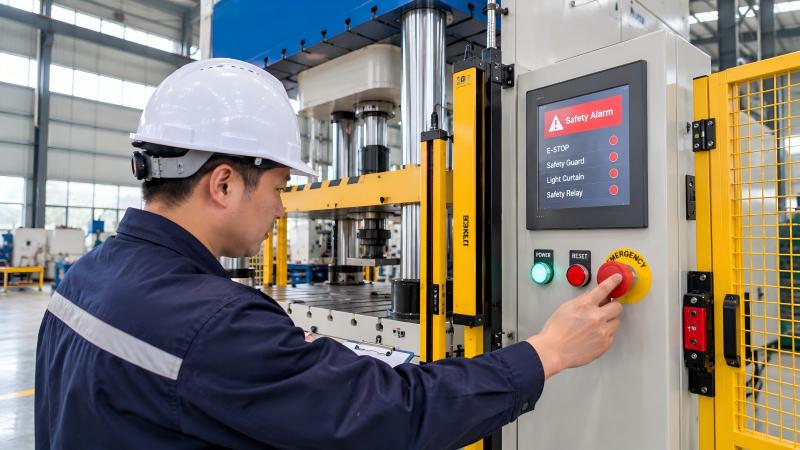
Inspect emergency stop devices, safety guards, and safety-related alarms.
Determine whether a protective device has been activated or whether a safety circuit fault is preventing operation.
I recommend following the manufacturer’s diagnostic procedure to identify the fault.
Never bridge safety contacts or disable protective functions to restore machine movement.
Step 5: Diagnose PLC Inputs and Control Signals
If the electrical components appear normal, qualified technicians should inspect the PLC diagnostic information.
Check whether the controller recognizes the affected button input and whether any alarms or operating conditions prevent the command from being executed.
Avoid changing PLC programs or control parameters without manufacturer authorization.
Step 6: Test Button Operation After Repairs
After completing repairs, restore protective covers and confirm that all safety devices are functional.
Test each repaired button according to the manufacturer’s prescribed procedure.
Verify that the hydraulic press responds correctly and that emergency stop functions remain effective before resuming production.
How to Prevent Hydraulic Press Control Button Failures
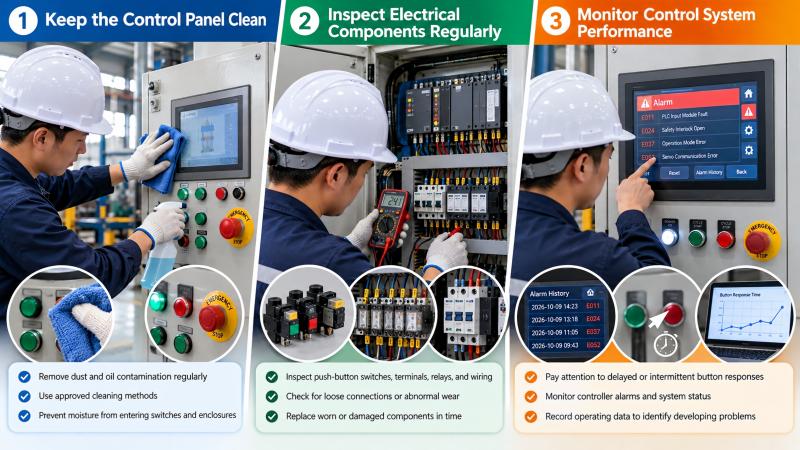
Keep the Control Panel Clean
I recommend regularly removing dust and oil contamination from the control panel using approved cleaning methods.
Prevent moisture from entering switches, connectors, and electrical enclosures.
Inspect Electrical Components Regularly
Include push-button switches, terminal connections, relays, and wiring in scheduled maintenance inspections.
Replace worn or damaged components before they cause unexpected machine downtime.
Monitor Control System Performance
Pay attention to delayed button responses, intermittent failures, and recurring controller alarms.
Recording these symptoms helps maintenance personnel identify developing electrical problems.
FAQS
Why Are My Hydraulic Press Control Buttons Not Responding?
Common causes include damaged switches, loose wiring, insufficient control voltage, activated safety interlocks, and PLC input faults.
Can a Faulty Emergency Stop Button Disable Other Controls?
Yes. An emergency stop circuit fault can prevent certain machine operations until the safety system is correctly restored and verified.
How Do I Test a Hydraulic Press Push Button?
Qualified personnel can inspect the switch mechanically and test its electrical contacts using a multimeter after safely isolating the circuit.
Conclusion
Hydraulic Press Control Buttons can fail because of mechanical wear, electrical connection problems, power supply faults, or safety system interruptions. I recommend following a systematic troubleshooting process, starting with visual inspections and progressing to electrical and controller diagnostics.
Regular maintenance, proper cleaning, and timely component replacement can improve control reliability and reduce production interruptions.
If your hydraulic press continues experiencing control button problems, contact the HARSLE technical support team for professional assistance.


