


Машина для стрижки овец Display Screen Failure is a common issue that can interrupt production, prevent operators from accessing machine functions, and reduce overall efficiency when operating modern CNC shearing machines. The control display plays a critical role in machine operation, parameter setting, and troubleshooting. If you are experiencing problems such as a blank screen, incorrect display information, touch failure, or communication errors, you are in the right place. In this article, I’ll explain the common causes of display failures and provide practical troubleshooting methods to restore normal operation and maintain reliable shearing machine performance.
Понимание Машина для стрижки овец Display Screen Failure
Why the Display Screen Is Important for Shearing Machines
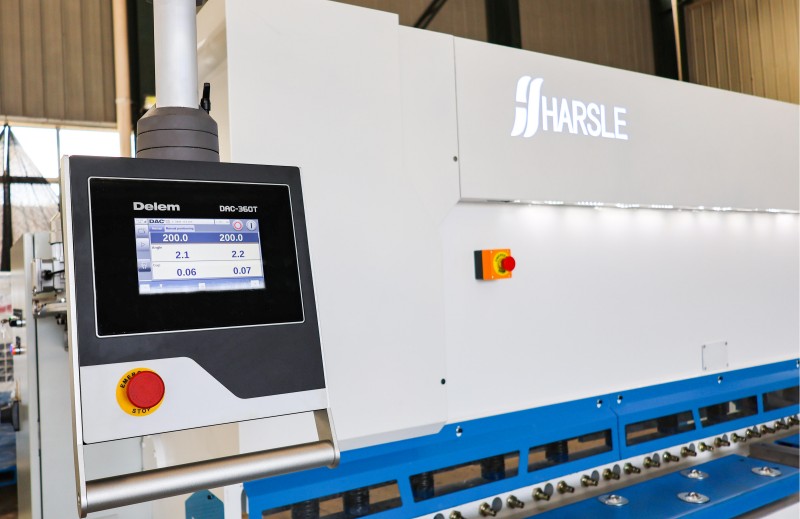
The display screen is the main interface between the operator and the CNC control system. It allows users to input cutting parameters, monitor machine status, adjust settings, and receive fault notifications.
A properly functioning display ensures accurate operation and efficient production. When Shearing Machine Display Screen Failure occurs, operators may lose access to important machine functions, causing production delays and increasing troubleshooting time.
Common Symptoms of Display Screen Failure
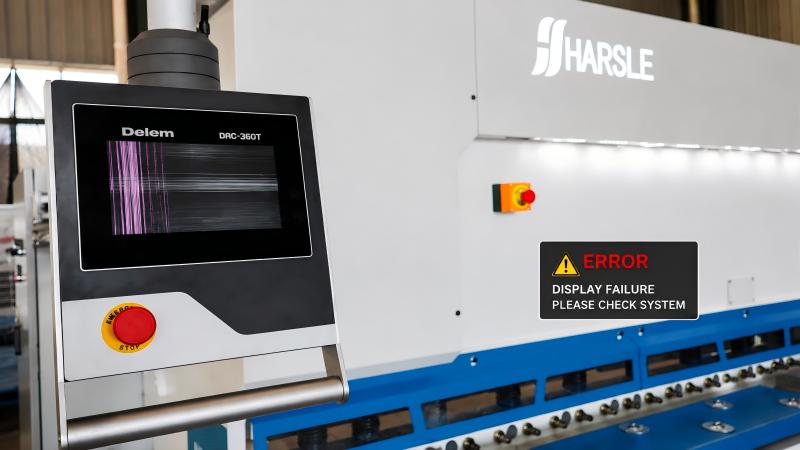
Before repairing the problem, I always recommend identifying the exact symptoms. Common signs include:
- The display screen does not turn on.
- The screen is frozen or unresponsive.
- Touch functions do not work correctly.
- The screen shows abnormal characters or error messages.
- Communication errors appear between the CNC controller and display unit.
- The display brightness is unstable or completely lost.
Understanding these symptoms helps determine whether the issue comes from the power supply, wiring, control system, or display hardware.
Common Causes of Shearing Machine Display Screen Failure
Проблемы с электропитанием
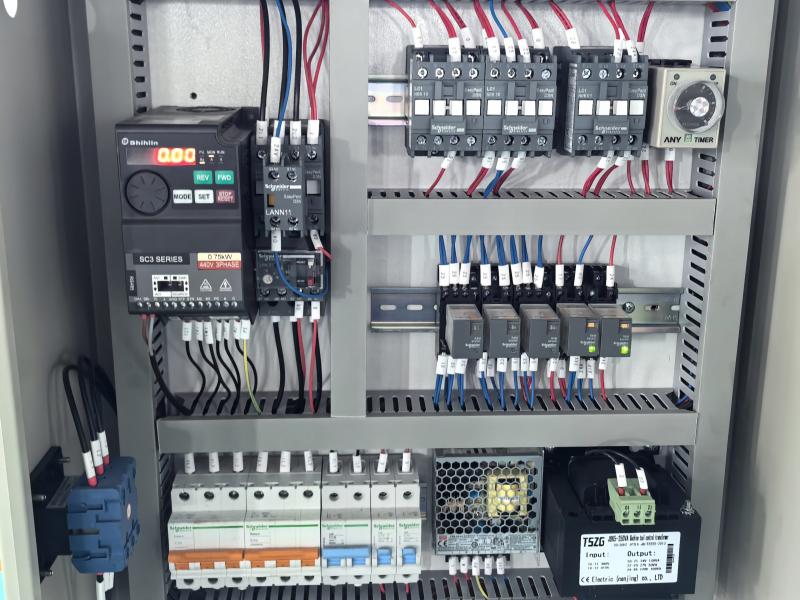
Check Display Power Connections
One of the most common causes of display failure is an unstable power supply. Loose terminals, damaged cables, or voltage fluctuations can prevent the screen from working properly.
I recommend checking the power connection between the CNC system and the display module. Make sure all terminals are tight and there are no signs of overheating or damage.
Verify Stable Voltage Input
A CNC display requires stable voltage to operate correctly. Excessive voltage fluctuations may cause screen flickering, unexpected shutdowns, or permanent damage to electronic components.
Using a voltage stabilizer or reliable industrial power protection system can help reduce electrical problems.
Communication Problems Between CNC System and Display
Inspect Communication Cables
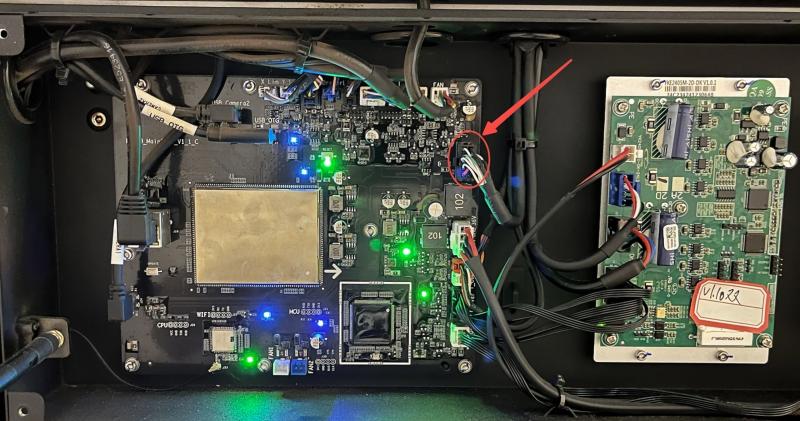
The display screen communicates with the CNC controller through dedicated cables. Loose connectors, damaged cables, or poor contact points can interrupt data transmission.
During inspection, check whether communication cables are firmly connected and free from physical damage.
Check CNC Controller Status
Sometimes the display itself is not the problem. A malfunctioning CNC controller, software error, or communication interruption may cause the screen to display incorrect information.
Restarting the CNC system and checking controller alarms can help identify the source of the problem.
Hardware Damage and Environmental Factors
Inspect Display Components
Long-term operation in industrial environments can expose display components to dust, vibration, and temperature changes. These factors may shorten the lifespan of the screen.
Check for physical damage, cracked screens, abnormal colors, or internal component failures.
Maintain a Clean Operating Environment
Dust and moisture can affect electrical connections and electronic components. Regular cleaning of the control cabinet and display area helps prevent future failures.
Step-by-Step Guide to Fix Shearing Machine Display Screen Failure
Step 1: Restart the Machine Control System
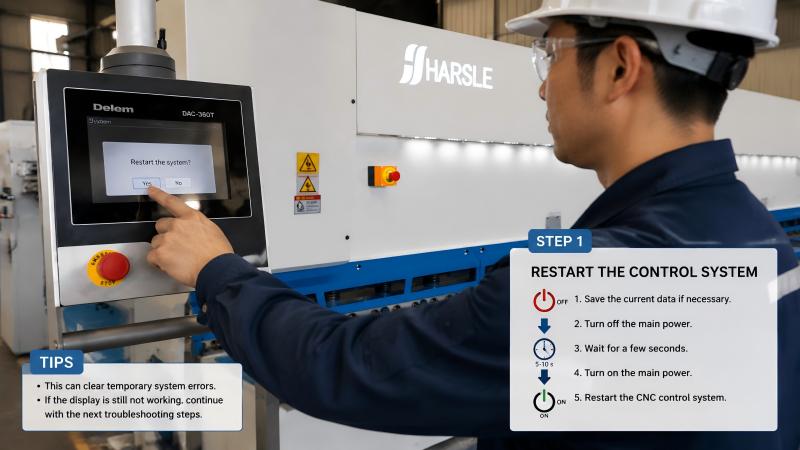
The first troubleshooting step is restarting the shearing machine. Temporary software errors or communication problems may disappear after a complete power cycle.
Before restarting, save current production data if possible and follow proper shutdown procedures.
Step 2: Check Electrical Connections
Inspect the power supply cables, communication lines, and terminal connections inside the control cabinet.
Look for loose wires, damaged insulation, or signs of electrical overheating. Correcting these issues can often restore normal display operation.
Step 3: Test the CNC Communication System
Confirm whether the CNC controller is communicating correctly with the display module.
Check communication alarms, interface settings, and connection status. If necessary, reload system parameters according to the manufacturer’s instructions.
Step 4: Update or Restore Control Software
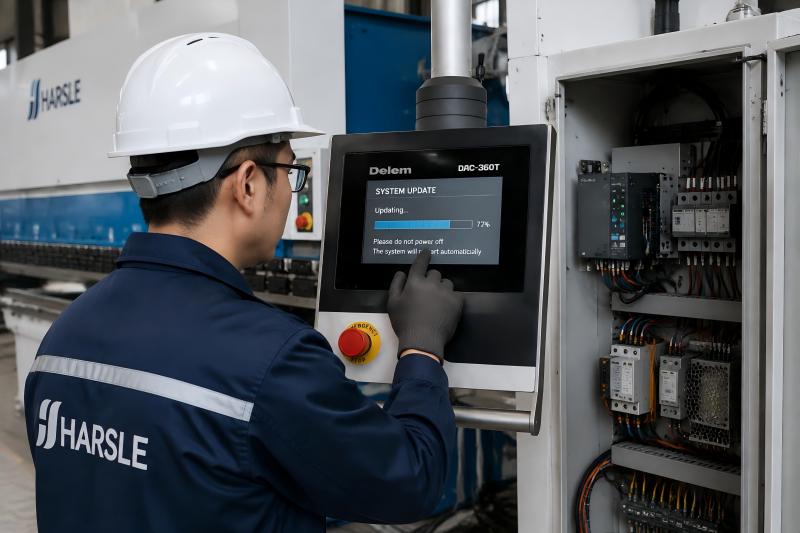
Software problems can also cause display failures. If hardware connections are normal, check whether the CNC software requires updating or restoration.
Always back up machine parameters before performing software changes.
Step 5: Replace Damaged Display Components
If the display hardware has failed, replacement may be necessary. Common replacement parts include the touch panel, LCD screen, communication board, or power module.
Using compatible components ensures stable operation and prevents additional system problems.
Preventive Maintenance Tips for Shearing Machine Display Systems
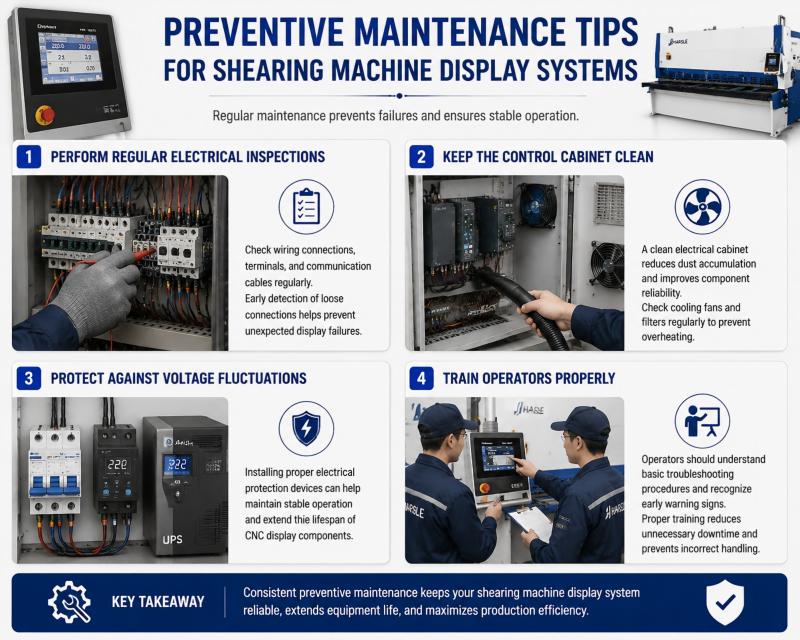
Perform Regular Electrical Inspections
I recommend checking wiring connections, terminals, and communication cables regularly. Early detection of loose connections helps prevent unexpected display failures.
Keep the Control Cabinet Clean
A clean electrical cabinet reduces dust accumulation and improves component reliability. Check cooling fans and filters regularly to prevent overheating.
Protect Against Voltage Fluctuations
Installing proper electrical protection devices can help maintain stable operation and extend the lifespan of CNC display components.
Train Operators Properly
Operators should understand basic troubleshooting procedures and recognize early warning signs. Proper training reduces unnecessary downtime and prevents incorrect handling.
Вопросы и ответы
Why is my shearing machine display screen not turning on?
The problem may be caused by power supply failure, loose wiring, damaged display components, or CNC communication issues. Checking electrical connections is the first troubleshooting step.
How can I fix a frozen CNC display on a shearing machine?
Try restarting the machine control system first. If the problem continues, check communication connections and CNC software status.
Can voltage instability cause Shearing Machine Display Screen Failure?
Yes. Unstable voltage can damage electronic components and cause display malfunction or unexpected shutdowns.
Заключение
Исправление Shearing Machine Display Screen Failure requires a systematic approach, starting with power supply checks, communication inspections, software verification, and hardware evaluation. By identifying the root cause and following proper troubleshooting steps, operators can restore machine functionality and reduce production interruptions.
Regular maintenance, stable power protection, and proper operator training are essential for preventing future display problems. For more technical support or assistance with shearing machine maintenance, feel free to contact our team for professional guidance.


