


When a production line suddenly stops due to a servo alarm, it can be frustrating and costly. A آلة القطع بالليزر Servo Alarm usually indicates that the servo system has detected an abnormal condition such as overload, positioning error, communication failure, or encoder malfunction. If you’re trying to quickly identify the cause and restore normal operation, you’re in the right place. In this article, I’ll guide you through practical troubleshooting steps to help you fix servo alarms efficiently and minimize downtime.
فهم القطع بالليزر Machine Servo Alarm
What Is a Servo Alarm?

A servo alarm is a protective warning triggered by the CNC system when the servo motor or driver detects abnormal conditions. It prevents further damage to the machine by stopping operation immediately.
Why Servo Alarms Occur in Laser Machines
معظم Laser Cutting Machine Servo Alarm issues are related to electrical faults, mechanical resistance, parameter errors, or communication issues between the CNC controller and servo drive.
Common Causes of Laser Cutting Machine Servo Alarm
Servo Motor Overload
Excessive load on the axis, caused by mechanical blockage or improper acceleration settings, can trigger overload protection.
Encoder Signal Failure
Loose cables, damaged encoder wires, or signal interference can cause incorrect position feedback.
Servo Drive Fault or Overheating
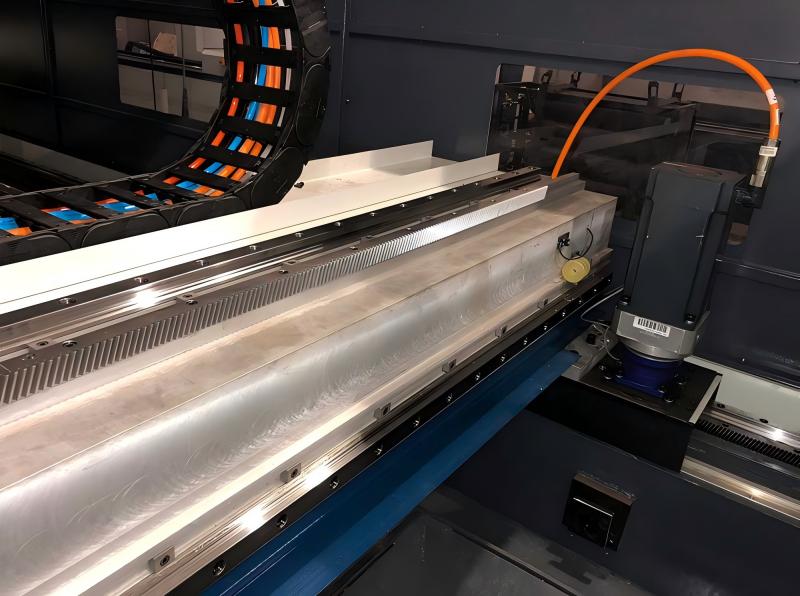
Poor ventilation, unstable voltage, or internal drive damage may result in alarm activation.
Mechanical Resistance or Jamming
Dirty rails, lack of lubrication, or misaligned guide systems can increase resistance and trigger alarms.
Parameter Configuration Error
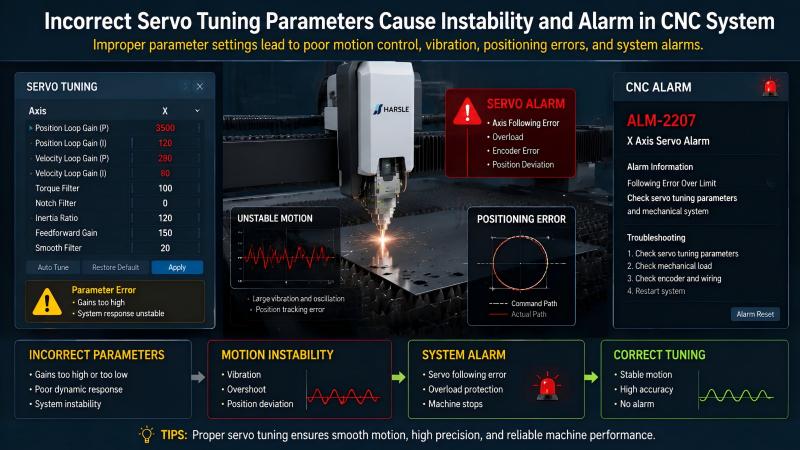
Incorrect servo tuning parameters in the CNC system can lead to unstable motion and fault alarms.
Step-by-Step Guide to Fix Laser Cutting Machine Servo Alarm
Step 1: Restart and Record Alarm Code
I always begin by restarting the system and noting the exact alarm code shown on the servo drive or CNC controller. This helps narrow down the issue.
Step 2: Check Mechanical Movement
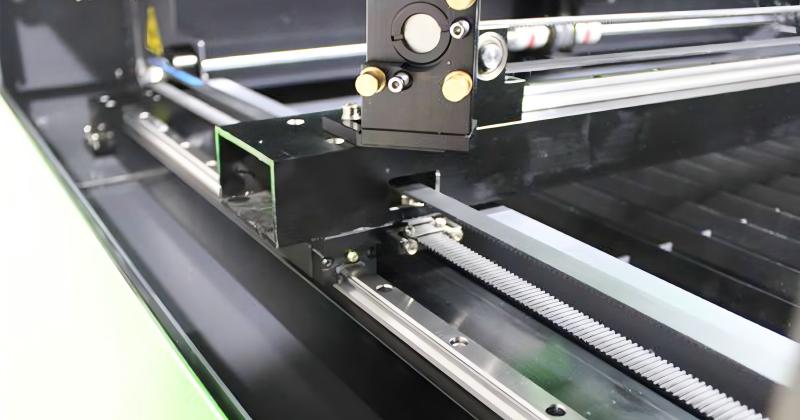
Manually inspect each axis. If movement feels tight or blocked, clean and lubricate the guide rails and ball screws.
Step 3: Inspect Encoder and Signal Cables
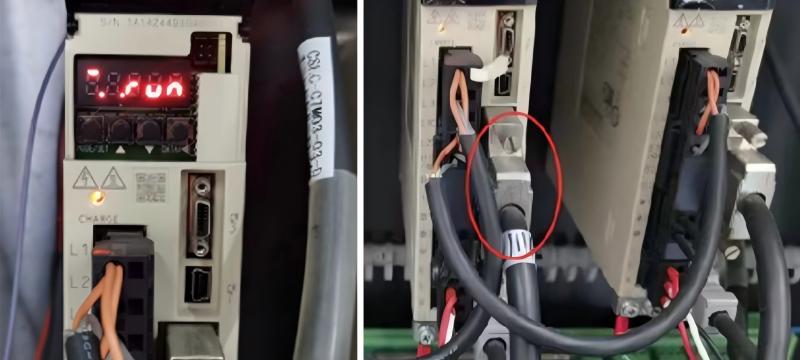
Check all encoder connections for looseness, damage, or oil contamination. Secure or replace faulty cables if needed.
Step 4: Verify Servo Drive Status
Inspect the servo drive for overheating, abnormal LED indicators, or voltage instability. Ensure proper cooling and stable power supply.
Step 5: Reset Servo Parameters
If no mechanical or electrical fault is found, review CNC parameters and restore factory settings or correct tuning values.
Step 6: Test Axis Movement Gradually
After fixing the issue, test each axis at low speed to ensure stable operation before resuming production.
Preventive Maintenance for Servo Alarm Reduction
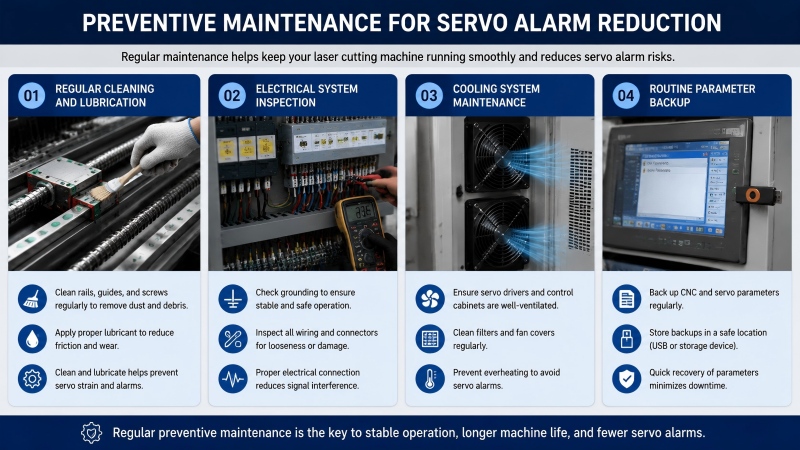
Regular Cleaning and Lubrication
Dust and lack of lubrication are major causes of servo strain. Keeping rails and screws clean helps prevent alarms.
فحص النظام الكهربائي
Regularly check grounding, wiring, and connectors to avoid signal interference.
Cooling System Maintenance
Ensure servo drivers and control cabinets are properly ventilated to avoid overheating.
Routine Parameter Backup
Back up CNC and servo parameters regularly so they can be restored quickly if errors occur.
الأسئلة الشائعة
What is the most common cause of Laser Cutting Machine Servo Alarm?
Mechanical resistance and encoder signal issues are among the most common causes.
Can I continue operating the machine after a servo alarm?
No, the machine should be stopped immediately and diagnosed to prevent further damage.
How do I reset a servo alarm?
After fixing the root cause, reset the alarm through the CNC controller or restart the servo drive.
خاتمة
أ Laser Cutting Machine Servo Alarm is not just a warning—it is a protection mechanism that prevents serious machine damage. By identifying the root cause quickly, checking mechanical systems, inspecting electrical components, and maintaining proper settings, you can restore operation efficiently.
If the issue persists or requires advanced diagnosis, I recommend contacting our technical support team. Proper maintenance and timely troubleshooting are key to keeping your laser cutting machine running smoothly and avoiding costly downtime.


