


When operating a laser cutting system, one maintenance task I never overlook is caring for the Laser Cutting Machine Filters. These filters play a critical role in keeping dust, smoke, and fine particles away from sensitive machine components. If filters are neglected, airflow efficiency drops, cutting quality decreases, and the machine may suffer unexpected downtime. In this article, I’ll explain how to properly maintain laser cutting machine filters, improve filtration performance, and extend the lifespan of your laser cutting equipment. Whether you use a fiber laser cutting machine or a CO₂ laser system, these maintenance methods will help you keep your production running smoothly and efficiently.
Pourquoi Machine de découpe laser Filters Are Important
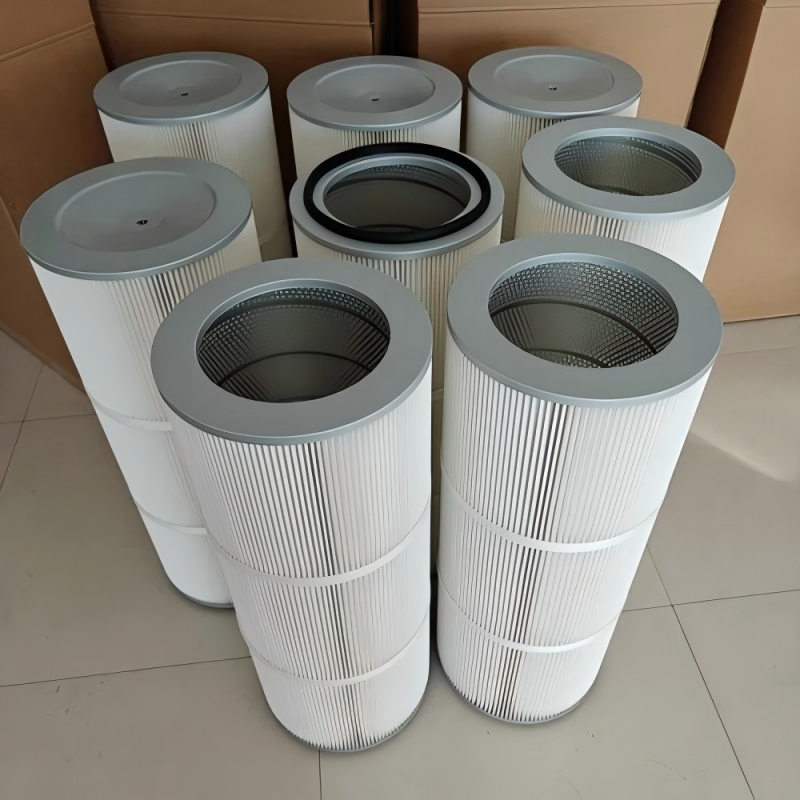
Laser cutting generates large amounts of smoke, metal dust, and airborne particles. Without effective filtration, these contaminants can damage internal systems and create an unsafe working environment.
Protecting Internal Components
Clean filters prevent dust from entering sensitive components such as cooling systems, optical parts, and ventilation systems.
Improving Airflow Efficiency
Properly maintained filters ensure stable airflow, allowing the dust extraction system to remove smoke and debris effectively.
Extending Machine Lifespan

Dirty or clogged filters force the system to work harder, increasing wear on fans, motors, and extraction units.
Step-by-Step Guide to Maintain Machine de découpe laser Filters
Step 1: Turn Off the Machine Before Maintenance
Before handling any filters, I always power down the machine completely and disconnect the electrical supply. This prevents accidental operation and ensures safe maintenance.
Step 2: Inspect Filter Condition Regularly
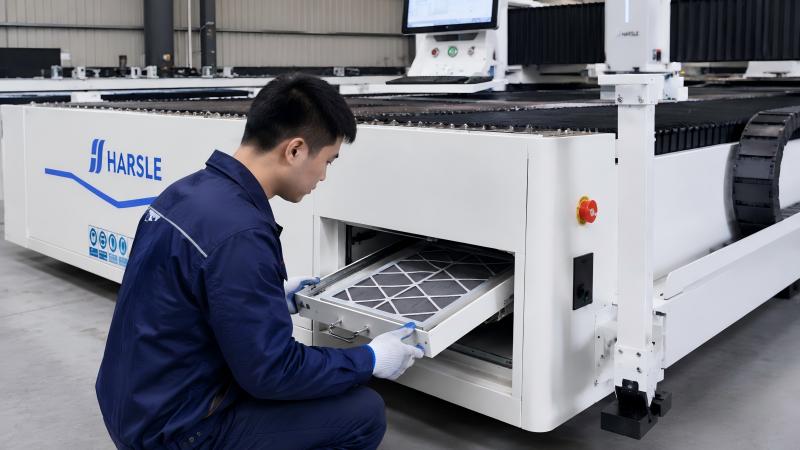
Check the filters for:
- Excessive dust accumulation
- Blocked airflow
- Damage or deformation
A visual inspection helps identify whether the filter needs cleaning or replacement.
Step 3: Clean the Filters Properly
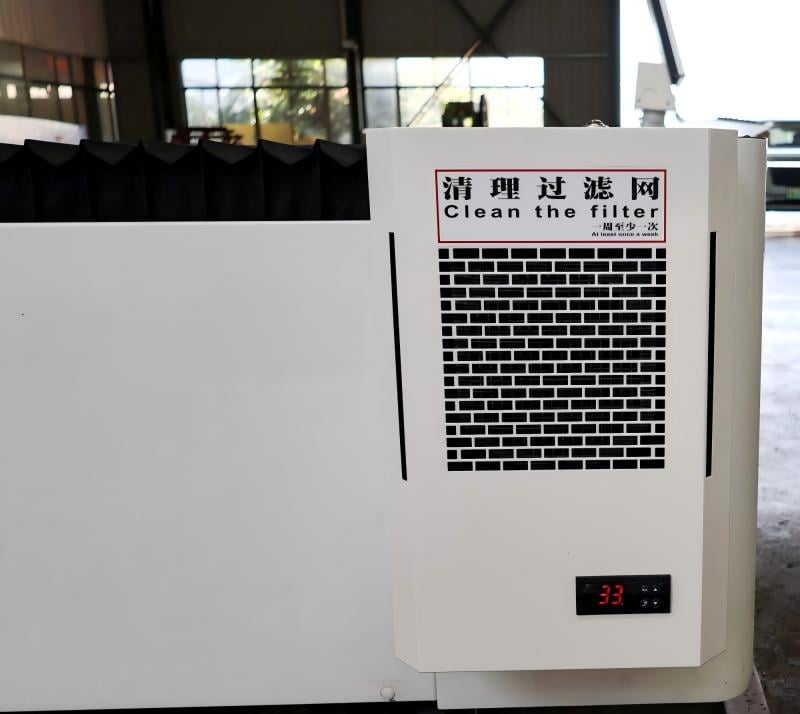
For reusable filters, use compressed air or a vacuum cleaner to remove dust and debris. Always clean in the direction opposite to normal airflow to avoid pushing particles deeper into the filter material.
Avoid using excessive pressure, as this may damage the filter structure.
Step 4: Replace Worn or Damaged Filters
If the filter is torn, heavily clogged, or cannot be cleaned effectively, replace it immediately. Using damaged filters reduces extraction performance and may allow contaminants into the machine.
Step 5: Check the Dust Extraction System
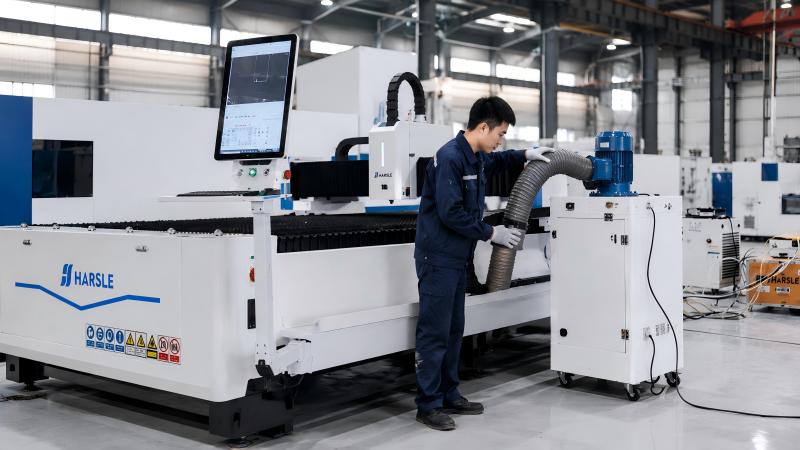
I also inspect the entire extraction system during filter maintenance. Make sure:
- Fans are operating correctly
- Air ducts are not blocked
- Connections are secure
A clean filter alone cannot perform properly if the airflow system has problems.
Step 6: Maintain a Cleaning Schedule
Creating a regular maintenance schedule is essential. Depending on production volume and material type, filters may require:
- Daily inspections
- Weekly cleaning
- Monthly replacement checks
Consistent maintenance prevents sudden airflow issues and production interruptions.
Best Practices for Laser Cutting Machine Filter Maintenance
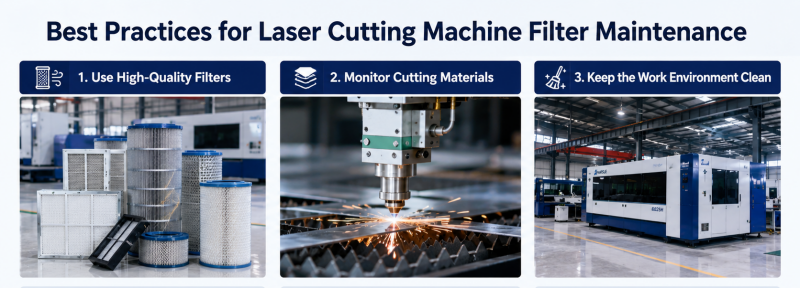
Use High-Quality Filters
I always recommend using high-quality replacement filters designed specifically for laser cutting machines. Better filters improve dust collection and last longer.
Monitor Cutting Materials
Different materials produce different amounts of smoke and dust. Carbon steel and coated materials often generate heavier contamination, requiring more frequent filter maintenance.
Keep the Work Environment Clean
A clean workshop reduces airborne dust entering the extraction system and helps filters remain effective longer.
Common Problems Caused by Poor Filter Maintenance
Reduced Cutting Quality
Blocked airflow can interfere with smoke removal, affecting laser cutting precision and edge quality.
Overheating of Components
Insufficient airflow may cause overheating in electrical cabinets, extraction motors, and cooling systems.
Increased Operating Costs
Clogged filters force fans and extraction systems to consume more energy, increasing maintenance and electricity costs.
FAQ
How often should I clean Laser Cutting Machine Filters?
I recommend inspecting filters daily and cleaning them weekly, depending on machine usage and material type.
Can dirty filters affect laser cutting accuracy?
Yes, poor airflow caused by clogged filters can reduce smoke extraction efficiency and negatively impact cutting quality.
What is the best method to clean reusable filters?
Use low-pressure compressed air or a vacuum cleaner to safely remove dust without damaging the filter material.
Conclusion
Maintaining Laser Cutting Machine Filters is essential for ensuring stable airflow, high cutting quality, and long machine life. By regularly inspecting, cleaning, and replacing filters when necessary, you can reduce downtime and improve the overall efficiency of your laser cutting system.
A well-maintained filtration system not only protects your equipment but also creates a safer and cleaner working environment. If you need professional support or want to optimize your laser cutting machine maintenance process, feel free to contact our team. We’re always ready to help you achieve reliable and efficient production.


