


Machine laser Overheating is one of the most common issues affecting cutting performance, machine stability, and component lifespan. If your laser cutting machine frequently shuts down, loses cutting accuracy, or shows abnormal temperature alarms, overheating may be the root cause. In this article, I’ll explain how to prevent overheating effectively and keep your laser machine running at peak performance. Whether you operate a fiber laser cutting machine or manage a high-volume production line, these practical maintenance and cooling strategies will help improve efficiency, reduce downtime, and protect critical machine components.
Pourquoi Machine laser Overheating Happens
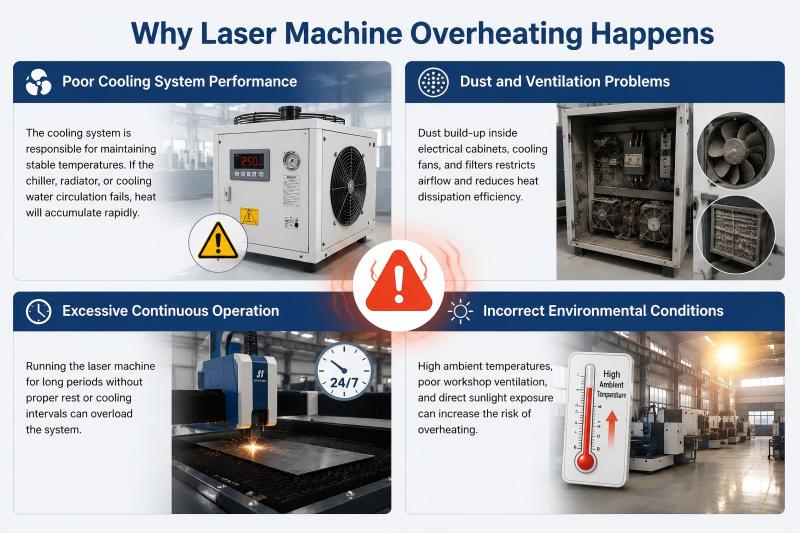
Before solving the problem, I always recommend understanding what causes overheating in the first place. Laser cutting machines generate significant heat during operation, especially under continuous high-power production.
Poor Cooling System Performance
The cooling system is responsible for maintaining stable temperatures. If the chiller, radiator, or cooling water circulation fails, heat will accumulate rapidly.
Dust and Ventilation Problems
Dust build-up inside electrical cabinets, cooling fans, and filters restricts airflow and reduces heat dissipation efficiency.
Excessive Continuous Operation
Running the laser machine for long periods without proper rest or cooling intervals can overload the system.
Incorrect Environmental Conditions
High ambient temperatures, poor workshop ventilation, and direct sunlight exposure can increase the risk of overheating.
Step-by-Step Guide to Prevent Laser Machine Overheating
Step 1: Inspect the Chiller System Regularly
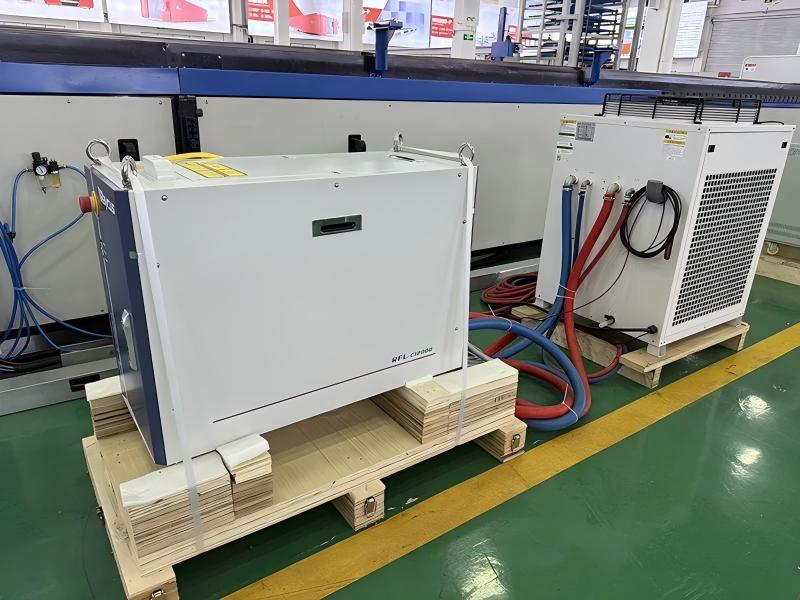
I always start by checking the water chiller. Ensure:
- Cooling water levels are sufficient
- Water temperature remains stable
- No leaks or blockages exist in the cooling lines
Clean the chiller filters regularly to maintain proper water flow and cooling efficiency.
Step 2: Keep Ventilation Systems Clean
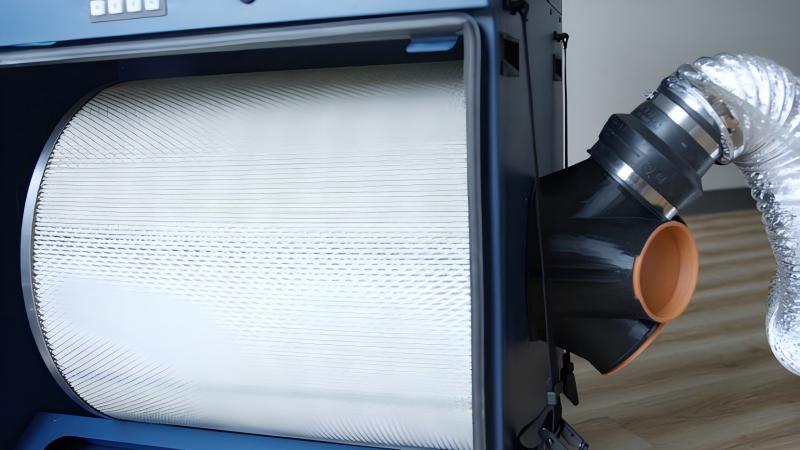
Cooling fans and air vents play a major role in heat dissipation. Dust accumulation can block airflow and trap heat inside the machine.
Je recommande :
- Cleaning cooling fans weekly
- Removing dust from ventilation filters
- Keeping electrical cabinets dry and clean
Proper airflow helps maintain stable operating temperatures.
Step 3: Monitor Laser Machine Temperature
Modern laser cutting machines include temperature monitoring systems. Operators should regularly monitor:
- Laser source temperature
- Chiller temperature
- Servo motor temperature
- Electrical cabinet temperature
Immediate action should be taken if temperatures exceed recommended limits.
Step 4: Maintain Proper Cooling Water Quality
Dirty or contaminated cooling water reduces heat transfer efficiency and may damage internal components.
To avoid this:
- Use purified or distilled water
- Replace cooling water periodically
- Prevent algae or mineral build-up inside the system
Stable water quality improves cooling performance significantly.
Step 5: Optimize Machine Working Parameters
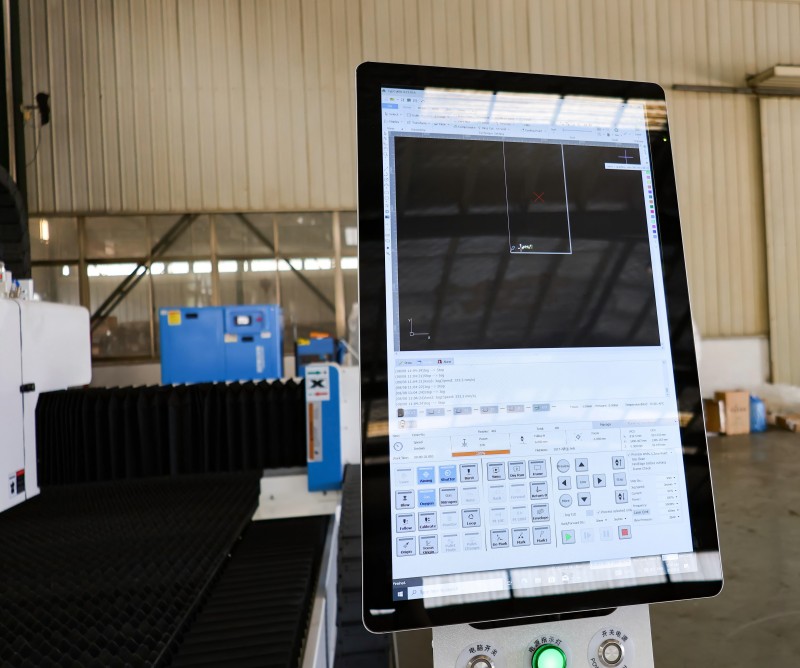
Improper cutting parameters can overload the laser system and generate excessive heat.
I suggest:
- Using appropriate laser power settings
- Adjusting cutting speed correctly
- Avoiding unnecessary continuous high-load operation
Balanced parameters help reduce thermal stress on machine components.
Step 6: Maintain a Suitable Workshop Environment
The surrounding environment directly affects cooling performance.
Les meilleures pratiques comprennent :
- Keeping workshop temperature controlled
- Ensuring proper air circulation
- Avoiding direct heat sources near the machine
A stable environment helps prevent overheating during long production cycles.
Preventive Maintenance Tips for Laser Machine Cooling Systems
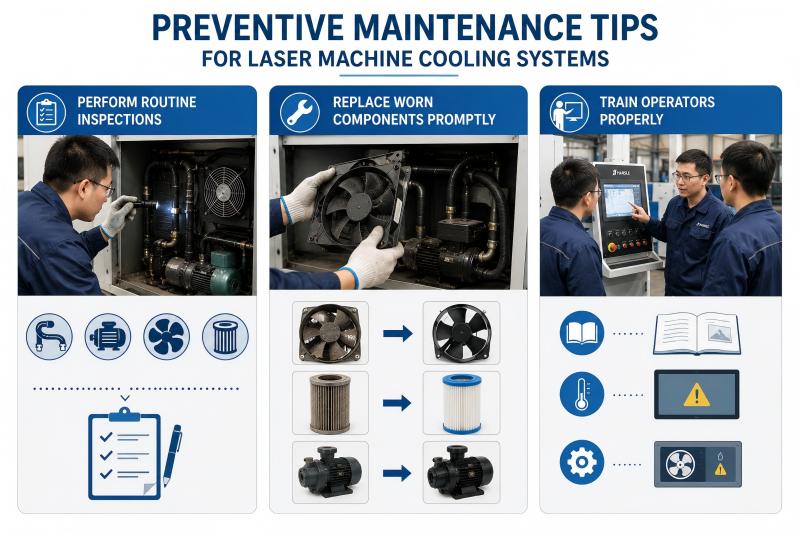
Perform Routine Inspections
Daily inspections help identify issues before they become serious problems. Check cooling hoses, pumps, fans, and filters regularly.
Replace Worn Components Promptly
A damaged fan, clogged filter, or failing pump can quickly cause overheating. Replace faulty parts immediately to avoid machine downtime.
Train Operators Properly
Operators should understand basic cooling system maintenance and know how to respond to temperature alarms.
FAQ
What is the ideal operating temperature for a laser cutting machine?
Most laser cutting machines operate best when cooling water temperatures remain between 20°C and 25°C, depending on the laser source manufacturer.
Can dust cause Laser Machine Overheating?
Yes, excessive dust blocks airflow, reduces cooling efficiency, and increases internal temperatures.
How often should cooling water be replaced?
I generally recommend replacing cooling water every three to six months, depending on machine usage and water quality.
Conclusion
Preventing Laser Machine Overheating is essential for maintaining cutting accuracy, machine stability, and long-term reliability. By maintaining the cooling system, cleaning ventilation components, monitoring temperatures, and optimizing operating conditions, you can significantly reduce overheating risks.
Consistent preventive maintenance not only protects your laser machine but also improves production efficiency and reduces costly downtime. If you need technical support or professional guidance for your laser cutting system, feel free to contact our team. We’re always ready to help you keep your production running smoothly and efficiently.


