


Laser Cutter Sensor Maintenance is essential for ensuring stable cutting quality and reliable machine performance. Proper maintenance helps prevent sensor errors, reduce unexpected downtime, and extend the lifespan of your laser cutting equipment. In this article, I’ll share practical maintenance methods, inspection tips, and best practices commonly used on the shop floor. Whether you’re a technician, operator, or production manager, these steps will help you keep your laser cutter sensors clean, accurately aligned, and functioning properly. By following a regular maintenance routine, you can improve cutting precision, maintain operational safety, and ensure long-term efficiency for your máquina de corte a laser.
Entendimento Cortador a laser Sensor Functions
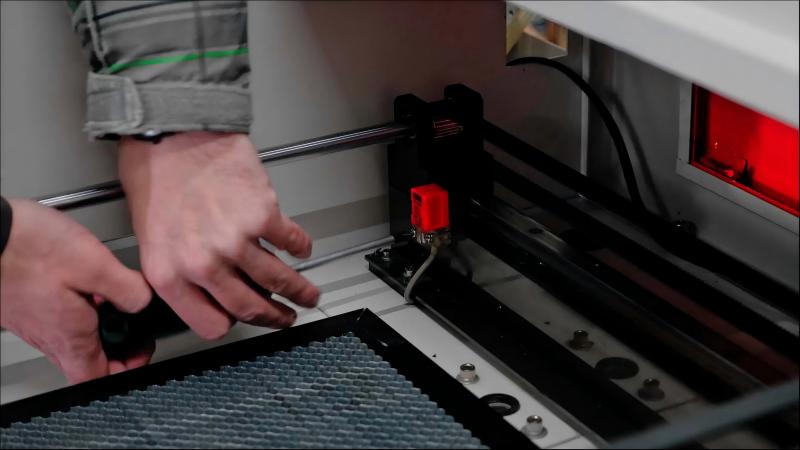
Types of Sensors in Laser Cutters
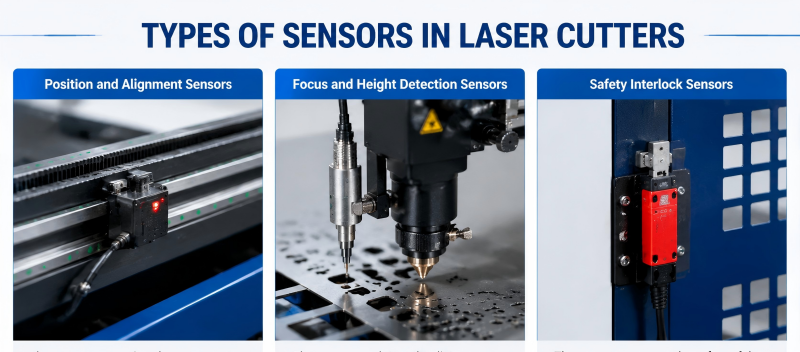
Laser cutters use a variety of sensors, including:
- Position and alignment sensors
- Focus and height detection sensors
- Safety interlock sensors
Each type plays a critical role in achieving accurate cuts and preventing collisions or operator hazards.
Why Sensor Maintenance Matters
Dirty, misaligned, or malfunctioning sensors can lead to:
- Inaccurate cutting results
- Machine downtime
- Safety risks for operators
Proper maintenance ensures the laser cutter operates efficiently and safely.
Step-by-Step Laser Cutter Sensor Maintenance
Step 1: Power Down and Secure the Machine
Before performing any maintenance, I always power off the laser cutter and engage all safety locks. This prevents accidental movement and ensures a safe working environment.
Step 2: Clean Sensor Surfaces
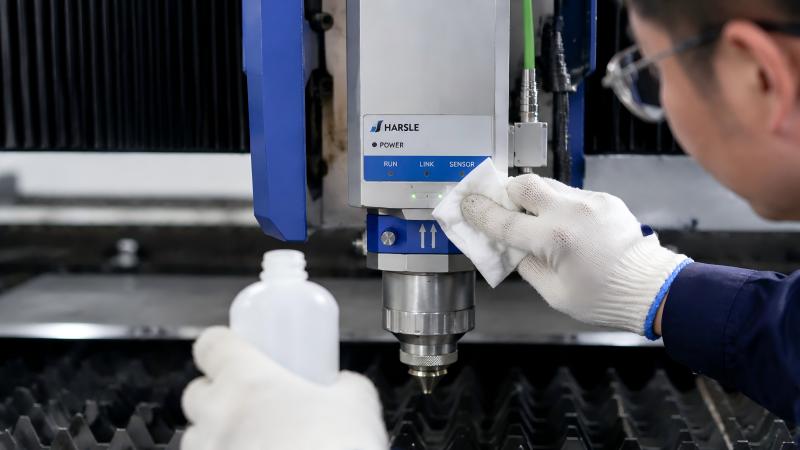
Dust, smoke, or metal debris can accumulate on sensor lenses or surfaces. Use a soft, lint-free cloth with a mild cleaning solution to gently wipe the sensors. Avoid abrasive materials that could scratch the optics.
Step 3: Check Sensor Alignment
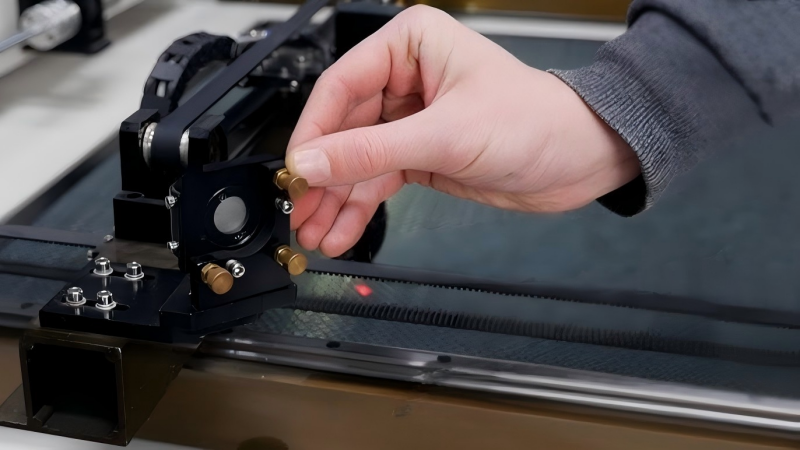
After cleaning, verify that each sensor is correctly positioned according to the manufacturer’s specifications. Misaligned sensors can produce incorrect readings, affecting cut quality.
Step 4: Inspect Cables and Connectors
I carefully examine wiring and connectors for signs of wear, loose connections, or damage. Proper electrical connections are critical for sensor functionality and accuracy.
Step 5: Test Sensor Response
Once cleaned and aligned, I run a test sequence to confirm each sensor responds correctly. Monitoring the machine’s feedback ensures that all sensors are functioning before returning to production.
Step 6: Schedule Routine Maintenance
I set a regular maintenance schedule based on machine usage. Weekly or monthly checks, depending on production volume, prevent buildup and ensure long-term sensor reliability.
Best Practices for Long-Term Sensor Performance
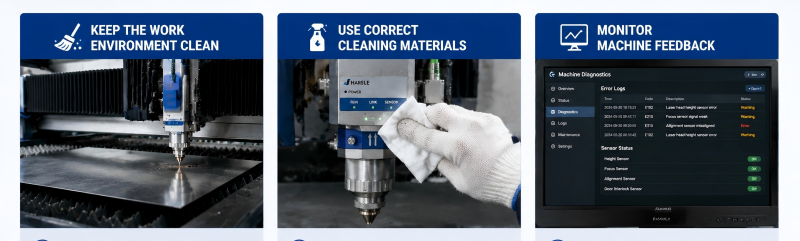
Keep the Work Environment Clean
Minimizing dust, smoke, and debris in the cutting area reduces sensor contamination and improves consistency.
Use Correct Cleaning Materials
Always use non-abrasive cloths and approved cleaning solutions to avoid damaging sensitive sensor components.
Monitor Machine Feedback
Regularly review error logs and machine diagnostics to detect early signs of sensor degradation or misalignment.
Perguntas frequentes
How often should I clean my laser cutter sensors?
Depending on usage, I recommend cleaning sensors weekly for high-volume operations or at least monthly for lighter use.
Can misaligned sensors damage my laser cutter?
Misalignment can cause inaccurate cuts, wasted material, and potential collisions. Proper alignment protects both the machine and finished parts.
Are there automated options for sensor maintenance?
Some advanced laser cutters offer automatic calibration routines, but manual inspection and cleaning remain essential for preventing contamination.
Conclusão
Eficaz Laser Cutter Sensor Maintenance is key to achieving precise, reliable, and safe laser cutting. By powering down the machine, cleaning sensors, checking alignment, inspecting wiring, and performing test sequences, you can prevent downtime and maintain high-quality results. Establishing a routine maintenance schedule and following best practices ensures that your sensors remain fully operational and your laser cutter performs at its best.
For additional guidance or support, don’t hesitate to contact our team. We provide expert advice to help you maintain your equipment and optimize production efficiency.


