


Cortador a laser Alarm Codes are designed to alert operators when the machine detects abnormal conditions that could affect performance, safety, or reliability. If your laser cutter suddenly stops working and displays an alarm code, understanding the cause quickly is essential to minimizing downtime and restoring production. In this article, I’ll explain the most common causes of laser cutter alarm codes and provide a step-by-step troubleshooting process to help you identify and resolve issues efficiently. Whether the alarm originates from the laser source, cooling system, servo drive, or gas supply, this guide will help you diagnose problems faster and keep your laser cutting operations running smoothly.
Entendimento Cortador a laser Alarm Codes
What Are Laser Cutter Alarm Codes?
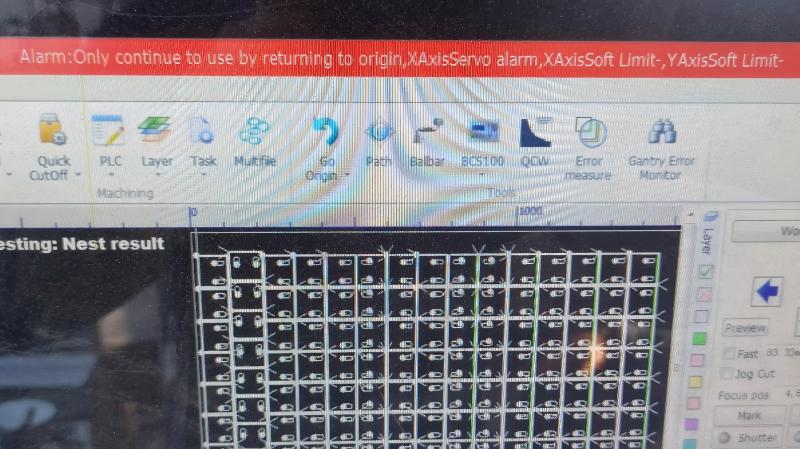
Laser cutter alarm codes are diagnostic messages generated by the machine’s control system when it detects abnormal operating conditions. These alarms help protect critical components from damage and assist operators in locating faults quickly.
Common systems that generate alarms include:
- Laser source
- Controlador CNC
- Servo drives
- Chiller unit
- Assist gas system
- Cutting head sensors
Understanding the source of the alarm is the first step toward effective troubleshooting.
Why Alarm Codes Should Never Be Ignored
Many operators are tempted to reset alarms without investigating the cause. While this may temporarily restore operation, the underlying issue often remains unresolved.
Ignoring alarm codes can lead to:
- Unexpected machine shutdowns
- Reduced cutting quality

- Component damage
- Increased maintenance costs
- Safety hazards
A systematic diagnosis helps prevent more serious failures.
Common Causes of Laser Cutter Alarm Codes
Laser Source Fault Alarms
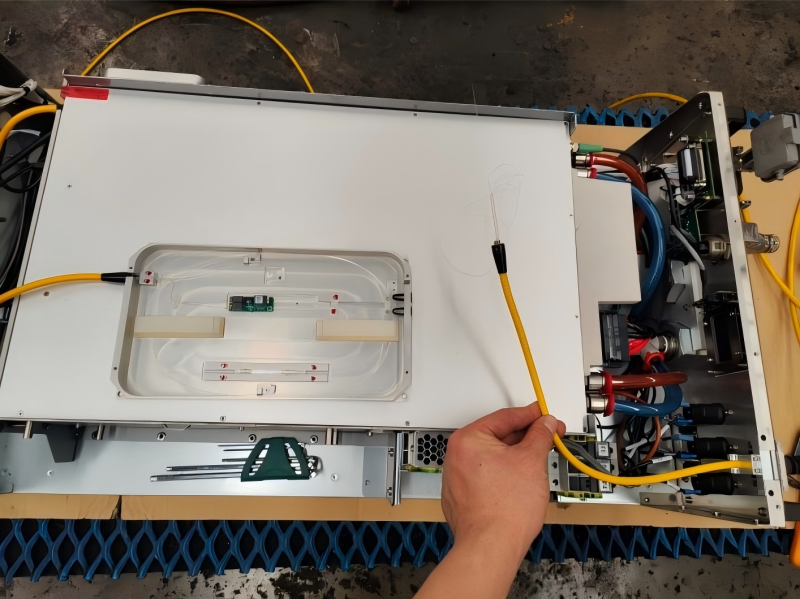
The laser source is one of the most critical components of the machine.
Common laser source alarms include:
- Over-temperature warnings
- Power supply faults
- Optical module failures
- Internal communication errors
These alarms often require inspection of cooling systems and electrical connections.
Chiller System Alarms
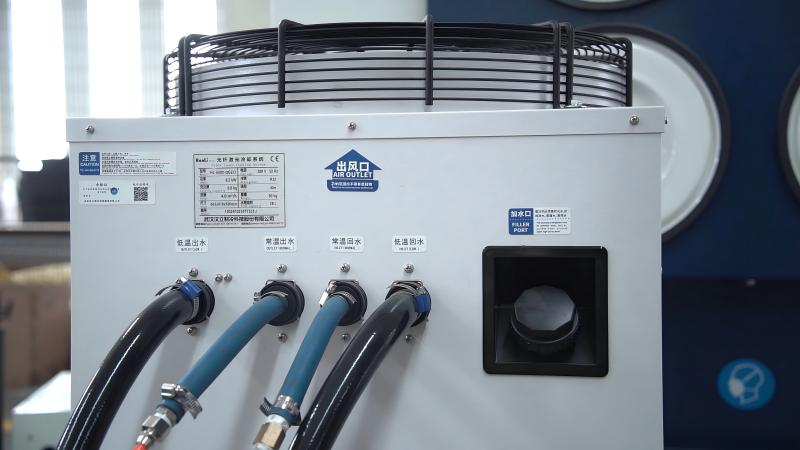
Laser cutters rely on stable cooling to maintain performance.
Typical chiller alarms involve:
- High water temperature
- Low water level
- Flow rate abnormalities
- Chiller communication failures
Cooling issues should be addressed immediately to avoid laser source damage.
Servo Drive and Motor Alarms
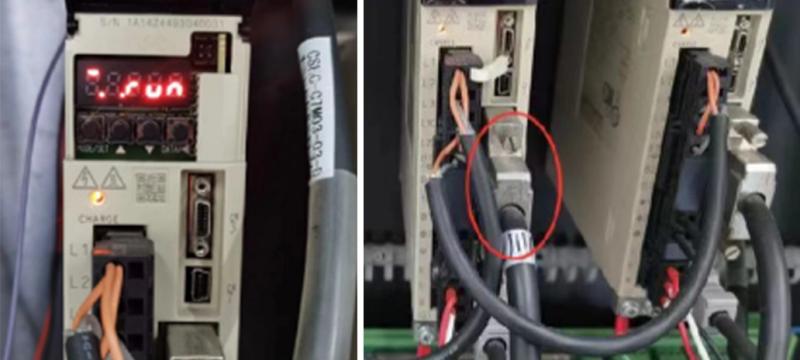
Servo systems control machine movement and positioning.
Common causes include:
- Encoder failures
- Motor overload
- Drive overheating
- Communication interruptions
Servo alarms often affect positioning accuracy and machine operation.
Assist Gas System Alarms
Assist gas plays a vital role during cutting.
Alarm causes may include:
- Low gas pressure
- Gas supply interruptions
- Faulty pressure sensors
- Regulator malfunctions
These issues can directly impact cut quality and production efficiency.
Cutting Head Protection Alarms
Modern laser cutting heads contain multiple protection sensors.
Typical alarms include:
- Detecção de colisão
- Capacitive sensor faults
- Nozzle contact warnings
- Height control errors
These alarms help prevent damage to the cutting head and workpiece.
Step-by-Step Guide to Diagnose Laser Cutter Alarm Codes
Step 1: Record the Alarm Code
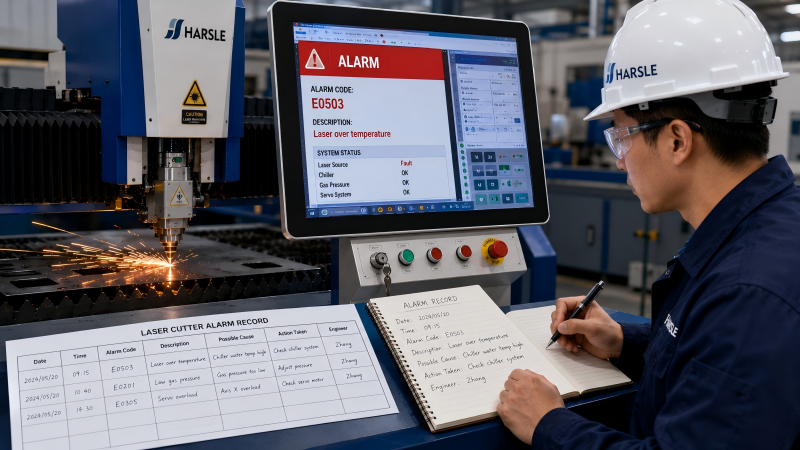
Before resetting the machine, carefully record:
- Número do alarme
- Descrição do alarme
- Time of occurrence
- Operating conditions
This information provides valuable clues during troubleshooting.
Step 2: Consult the Machine Manual
Every laser cutter manufacturer uses different alarm codes.
Check:
- User manuals
- Controller documentation
- Laser source manuals
- Chiller documentation
The alarm code description often points directly to the affected subsystem.
Step 3: Inspect the Related Component
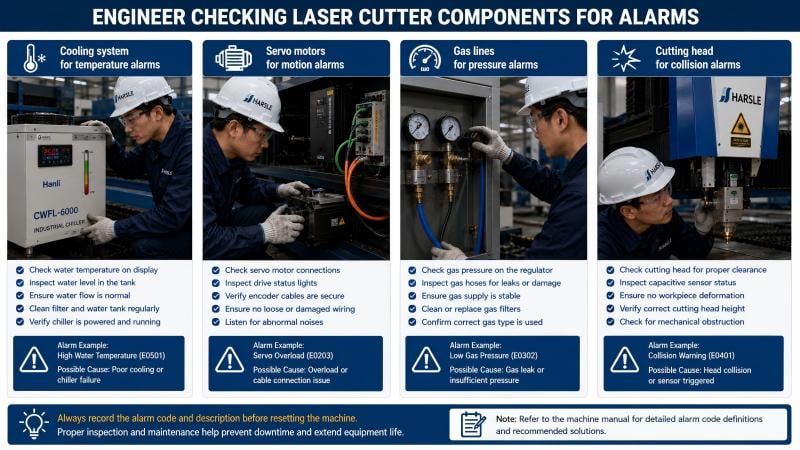
After identifying the source of the alarm, inspect the corresponding system.
Exemplos:
- Cooling system for temperature alarms
- Servo motors for motion alarms
- Gas lines for pressure alarms
- Cutting head for collision alarms
Visual inspections often reveal obvious faults quickly.
Passo 4: Verificar as conexões elétricas
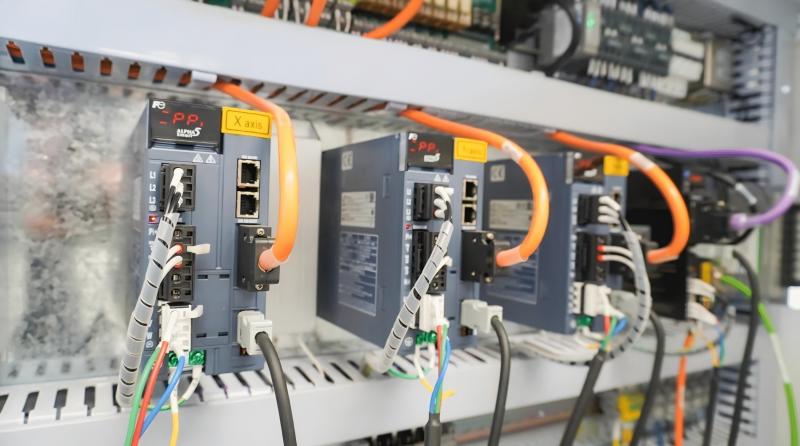
Loose electrical connections are a surprisingly common cause of alarm codes.
Inspect:
- Signal cables
- Power connectors
- Communication ports
- Blocos de terminais
Ensure all connections are secure and free of corrosion.
Step 5: Review System Parameters

Incorrect settings can trigger alarms even when hardware is functioning normally.
Verify:
- Servo parameters
- Gas pressure settings
- Chiller temperature settings
- Laser power configurations
Compare values against manufacturer recommendations.
Step 6: Reset and Test the Machine
Once the issue has been corrected:
- Clear the alarm.
- Restart the machine.
- Perform a test cut.
- Monitor for recurring alarms.
If the alarm returns immediately, further investigation may be required.
Preventive Maintenance to Reduce Alarm Codes
Perform Daily Equipment Checks
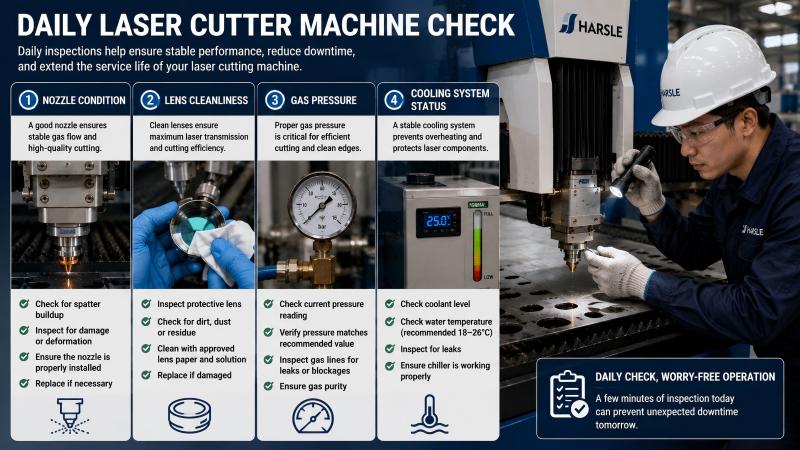
I recommend inspecting the following before each shift:
- Cooling system status
- Gas pressure levels
- Nozzle condition
- Lens cleanliness
- Cable connections
Early detection helps prevent unexpected alarms.
Maintain Cooling System Efficiency
Many alarm codes originate from cooling issues.
Regularly monitor:
- Water quality
- Coolant level
- Water temperature
- Chiller performance
Proper cooling significantly improves machine reliability.
Keep Software and Firmware Updated
Manufacturers frequently release updates that improve alarm management and system stability.
Ensure:
- CNC software is updated
- Servo firmware is current
- Laser source firmware is maintained
Updates can eliminate recurring alarm issues.
Perguntas frequentes
What should I do first when Laser Cutter Alarm Codes appear?
Record the alarm code and description before resetting the machine. This information is essential for accurate troubleshooting.
Can I continue operating the machine after clearing an alarm?
Only if the root cause has been identified and resolved. Simply clearing alarms without diagnosis may lead to equipment damage or safety risks.
Why do Laser Cutter Alarm Codes keep reappearing?
Recurring alarms often indicate unresolved hardware faults, unstable electrical connections, cooling problems, or incorrect system parameters.
Are all alarm codes serious?
Not all alarms indicate major failures. Some are warnings that allow preventive action before a serious issue develops. However, every alarm should be investigated.
Conclusão
Laser Cutter Alarm Codes provide valuable information about the health and performance of your laser cutting machine. By understanding the source of alarms and following a structured diagnostic process, you can quickly identify faults, minimize downtime, and prevent costly repairs.
Regular inspections, proper maintenance, and systematic troubleshooting are the most effective ways to keep your laser cutter operating reliably. If you encounter complex alarm codes or need technical assistance, the HARSLE support team is always available to help you diagnose and resolve issues efficiently.


