


مكبس هيدروليكي أزرار التوقف في حالات الطوارئ are essential safety devices designed to help operators stop hazardous machine operations quickly during unexpected situations. Hydraulic presses generate significant force and involve moving components, high-pressure hydraulic systems, and potentially dangerous working areas. Knowing when and how to use an emergency stop button can help prevent serious injuries, equipment damage, and further operational hazards. In this guide, I’ll explain how hydraulic press emergency stop buttons work, when operators should activate them, how to reset the system safely, and what inspections should be performed to maintain reliable emergency protection.
Why Are Emergency Stop Buttons Important on مكابس هيدروليكية?
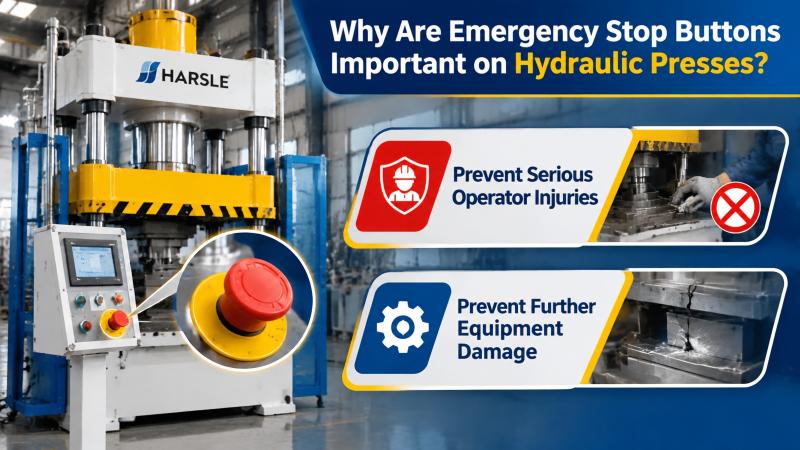
Preventing Serious Operator Injuries
Hydraulic presses use powerful cylinders to generate substantial pressing forces. Unexpected ram movement, material displacement, tooling failure, or operator mistakes can create dangerous situations.
An emergency stop button provides operators with an accessible means of initiating an emergency machine stop. It helps reduce exposure to hazards when normal operation cannot continue safely.
Preventing Further Equipment Damage
Mechanical interference, abnormal hydraulic pressure, and unexpected machine movement may damage cylinders, tooling, workpieces, and other components.
Activating the emergency stop when necessary can help prevent an abnormal situation from developing into a more serious equipment failure.
How to Use Hydraulic Press Emergency Stop Buttons Safely
Step 1: Identify Emergency Stop Button Locations
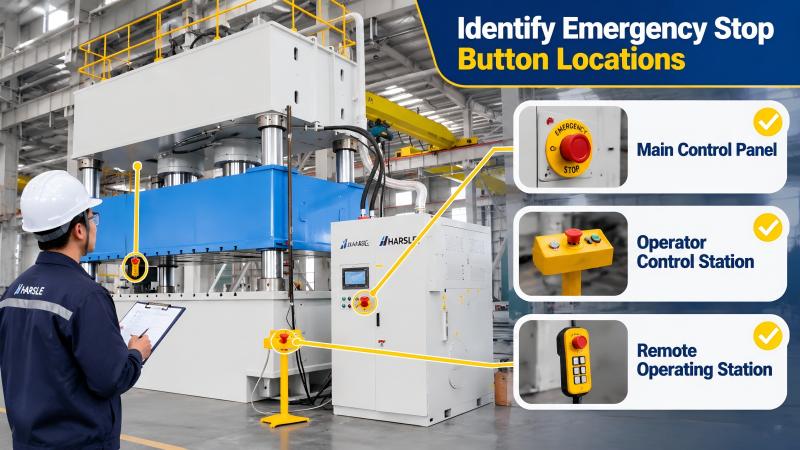
Before operating a hydraulic press, I recommend identifying all emergency stop button locations.
Depending on the machine configuration, emergency stops may be installed on:
- The main control panel.
- Operator control stations.
- Remote operating stations.
- Other accessible positions specified by the machine design.
Emergency stop buttons are typically red mushroom-shaped buttons mounted on yellow backgrounds. Operators should understand their locations and ensure they remain accessible at all times.
Step 2: Recognize When an Emergency Stop Is Required
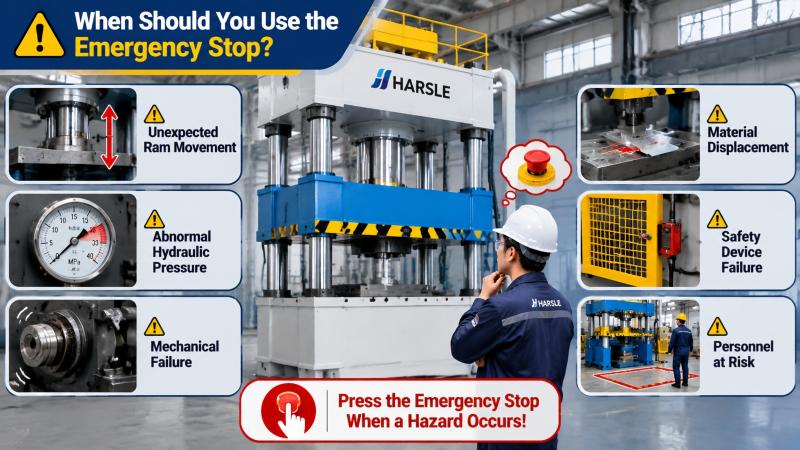
Operators must understand which situations require immediate machine shutdown.
Common emergency conditions include:
- Unexpected Ram Movement: The hydraulic ram moves abnormally or fails to respond to normal operating controls.
- Abnormal Hydraulic Pressure: The pressure gauge exceeds the permitted operating range or indicates an unexpected pressure increase.
- Mechanical Failure: Unusual banging, grinding, excessive vibration, or tooling interference occurs.
- Material Displacement: The workpiece shifts unexpectedly and creates a dangerous operating condition.
- Safety Device Failure: Guards, interlocks, or other protective systems malfunction.
- Personnel at Risk: An operator or nearby worker enters a hazardous area during machine operation.
When an immediate hazard is identified, activate the emergency stop without putting yourself in additional danger.
Step 3: Activate the Emergency Stop Button
When an emergency occurs, press the nearest accessible emergency stop button firmly.
The machine should respond according to its designed safety circuit, initiating the required emergency stop function. Depending on the hydraulic press configuration, this may stop the hydraulic pump, interrupt hazardous motion, and prevent further machine cycling.
Operators should not assume that pressing the emergency stop automatically removes all stored hydraulic or mechanical energy.
Keep clear of the pressing area and do not attempt to retrieve trapped materials or access moving components while hazardous energy remains present.
Step 4: Investigate the Cause Before Resetting

After activating the emergency stop, identify the reason for the shutdown.
Check the machine’s alarm messages, operating conditions, and visible external components without entering hazardous areas.
If the emergency was caused by hydraulic leakage, electrical failure, mechanical damage, or abnormal ram movement, report the problem to qualified maintenance personnel.
Before maintenance or inspection involving hazardous components, isolate energy sources and follow the facility’s lockout/tagout procedures.
Never reset the emergency stop simply to resume production without understanding why it was activated.
Step 5: Reset the Emergency Stop and Restore Operation
Once the cause of the emergency has been resolved and the machine is confirmed safe, the emergency stop can be reset according to the manufacturer’s instructions.
Most hydraulic presses use a push-to-lock and twist-to-release or pull-to-release emergency stop mechanism.
Follow these general steps:
- Confirm that the original emergency condition has been resolved.
- Ensure all personnel are outside hazardous areas.
- Reset the emergency stop button using its specified release mechanism.
- Reinitialize the control system according to the operating manual.
- Verify that guards, interlocks, and other safety devices are functioning correctly.
- Perform the required functional checks before returning to normal production.
Resetting an emergency stop must not automatically initiate machine movement or restart the pressing cycle. Operators should follow the approved restart procedure.
Common Mistakes to Avoid When Using Hydraulic Press Emergency Stop Buttons
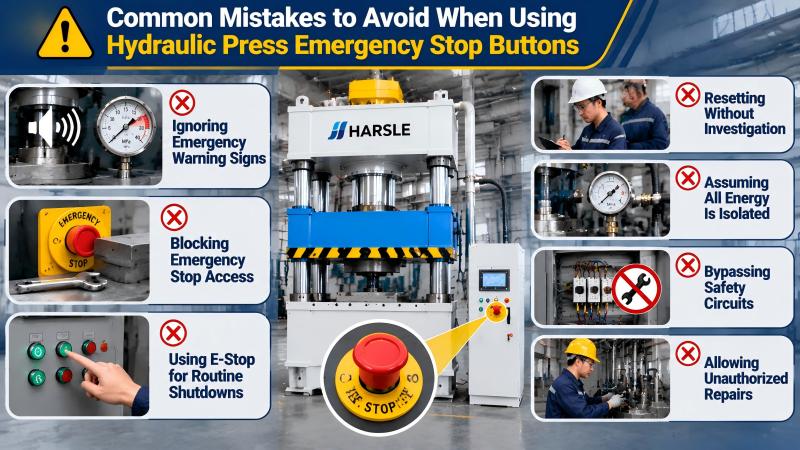
- Ignoring Emergency Warning Signs: Unusual noise, abnormal pressure, and unexpected ram movement require immediate attention.
- Blocking Emergency Stop Access: Never place materials or tools in front of emergency stop buttons.
- Using Emergency Stops for Routine Shutdowns: Follow the normal stopping procedure when there is no emergency.
- Resetting Without Investigation: Always identify and resolve the cause before restarting the machine.
- Assuming All Energy Is Isolated: Emergency stops do not necessarily eliminate stored hydraulic pressure or other hazardous energy.
- Bypassing Safety Circuits: Never modify or disable emergency stop circuits to maintain production.
- Allowing Unauthorized Repairs: Electrical and hydraulic safety systems must be inspected and repaired by qualified personnel.
الأسئلة الشائعة
Where Are Emergency Stop Buttons Located on a Hydraulic Press?
They are generally installed on the main control panel and other accessible operator stations, depending on the machine configuration. Operators should identify all emergency stop locations before starting work.
Does Pressing an Emergency Stop Completely Shut Down the Hydraulic System?
Not necessarily. The emergency stop initiates the machine’s designed safety response, but stored hydraulic pressure and other energy sources may remain. Always follow the manufacturer’s isolation procedures before maintenance.
Can I Restart a Hydraulic Press Immediately After Resetting the Emergency Stop?
No. First identify and resolve the reason for the emergency stop. Confirm that the machine and its safety devices are functioning correctly before restarting production.
خاتمة
Hydraulic press emergency stop buttons are essential for protecting operators and controlling unexpected machine hazards. Understanding their locations, recognizing emergency conditions, following correct activation procedures, and performing safe recovery checks can significantly improve workplace safety.
I recommend including emergency stop training in every hydraulic press operator training program and conducting regular safety inspections to ensure reliable operation.


