


Mastering the DELEM DA-58T Bend Sequence can significantly improve the efficiency and accuracy of your metal bending tasks. This advanced system allows you to generate or modify a bend sequence for product drawings with precision and ease. Start by selecting your desired product from the library and access the Bend Sequence to initiate the process.
In this guide, we’ll explore how to quickly and effectively navigate the DELEM DA-58T Bend Sequence, whether using automatic calculations or manual modifications. Our focus will be on the key functions, manual bend line selection, and strategies for optimizing your bend sequences, ensuring your CNC programs are both accurate and efficient.
Initiating a Bend Sequence

To generate a bend sequence with the DELEM DA-58T, use the Bend Sequence function, which can be initiated by selecting the respective navigation button.
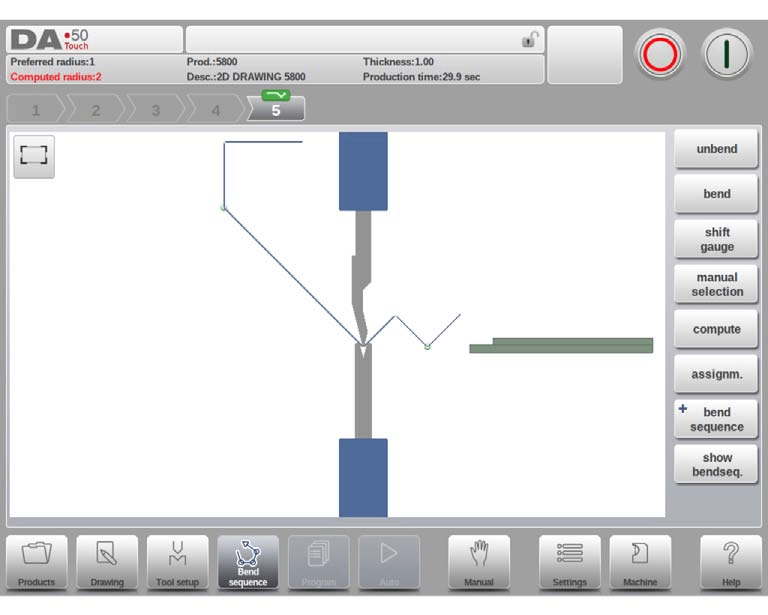
You can start with either an automatically computed sequence from your bent product or manually determine the sequence beginning with a flat product. The system allows for flexibility, enabling you to unfold products from the last bend to the first using function keys.
When it is prefered to start with a unfolded product to manually chose the bendsequence, this can be chosen under the command button Bend Sequence.
Key Functions
- Unbend: This function helps unbend the current bend or search for subsequent feasible bends to unfold.
- Bend: Use this to bend the product in simulation or transition to the next bend step.
- Shift Gauge: Manually adjust the gauge position to find alternative solutions without collisions.
- Manual Selection: Choose specific bend lines manually to adjust the DELEM DA-58T Bend Sequence to your preference.
- Compute: Automatically calculate a valid DELEM DA-58T Bend Sequence, offering the option to cancel or stop the process as needed.
- Assignments: Open a screen with assignments, parameters for the bend sequence computation.
- Bend Sequence: To start a new bendsequence, to reload the original bendsequence or to save a complete bend sequence. These functions can be found under the bend sequence command button.
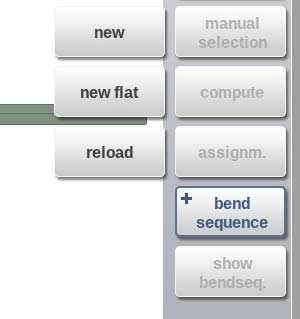
- +New: Start a new bend sequence, any existing sequence is removed. This is for automatic computed bend sequences.
- +New Flat: Start a new bend sequence from a flat sheet. This is for manual determined bend sequences.
- +Reload: Restore an existing bend sequence from disk, but disregard any related CNC program. This is also including corrections.
After a bendsequence has been calculated or determined, the Save and Save as can also be found in this menu.
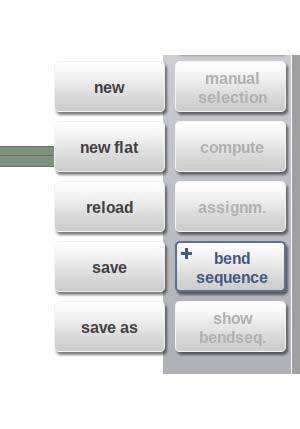
- +Save: Save a bendsequence will save the resulting CNC program on disk. The resulting CNC program contains all necessary axis positions and tool numbers. This command can only be executed when a complete bend sequence has been determined.
- +Save as: Save as can be used to save the current product and its bendsequence under an alternative name. This enables an easy way to make product differentiations (variants).
When the bendsequence screen is left, the product will automatically be saved. If there are changes made, and save is not used, this will be prompted on the screen.
- Show Bendsequence: To show a mosaic screen with a step-by-step graphical overview of the bend sequence.
Bend selector
The DELEM DA-58T Bend Sequence includes a robust bend selector feature. In the bend sequence screen, you can navigate through bends using this selector. At the top of the screen, a preliminary bend indicator shows the total number of bends.

As you complete the bend sequence, these indicators become active, displaying their status using colors: green for successful compliance, yellow for caution, and red for issues requiring attention.

Unbend product
Generating a CNC program demands a complete bend sequence. The DELEM DA-58T Bend Sequence system offers two methods:
- Compute Function: This automatically determines the fastest possible bend sequence.
- Unbend Function: Use repeatedly until the product is fully unbent. Once unbent, select Bend Sequence and Save to generate your CNC program.
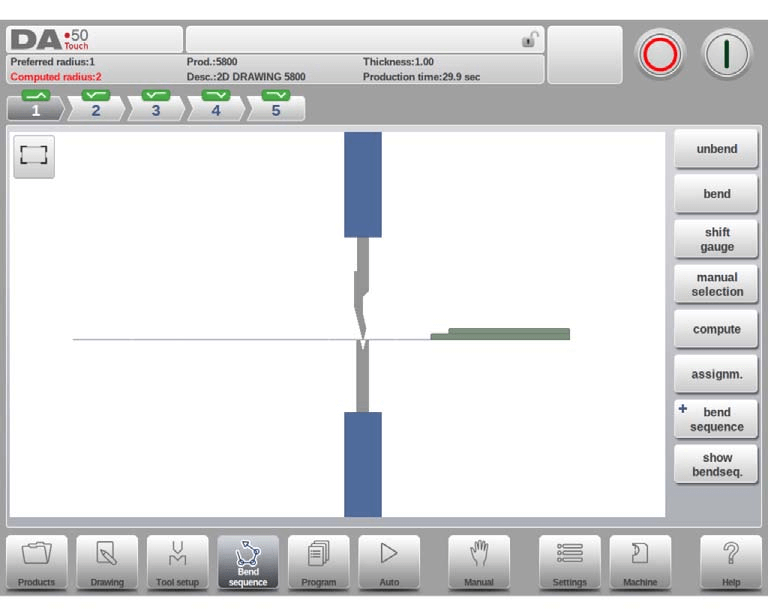
If no bend sequence is found, it might be due to incorrect tool configuration, assignment errors, or collision during unbending. These issues can be corrected by reviewing tool settings and assignments.
Manual Selection of Bends
While the DELEM DA-58T Bend Sequence system typically suggests the next bend, there are times when manual intervention is necessary. The Manual Selection function allows you to choose alternative bend lines. This functionality is crucial when dealing with complex shapes or when the system’s proposed sequence doesn’t fit your requirements.
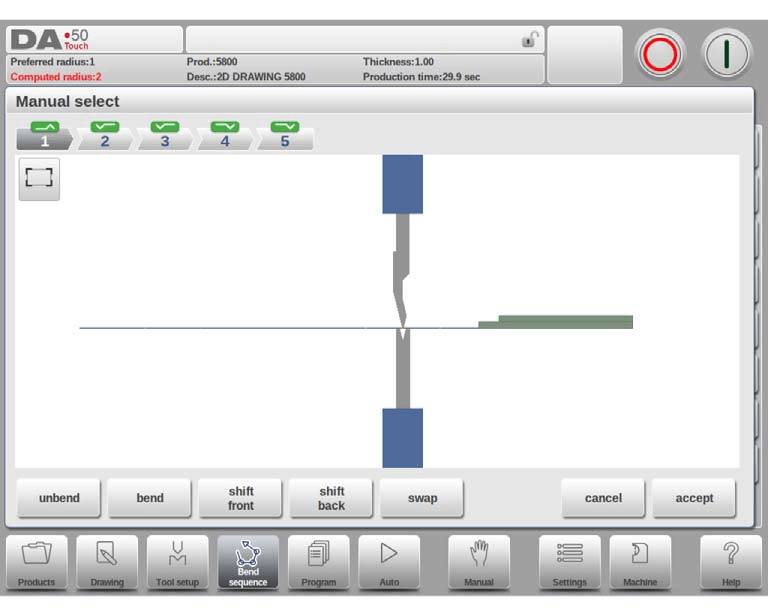
Functions within Manual Selection:
- Unbend/Bend: Switch between unbending or bending the product.
- Shift Front/Back: Move the product to the front or back.
- Swap: Rotate the product between tools.
- Accept/Cancel: Save changes or exit without modifying.
Shift gauge
The DELEM DA-58T Bend Sequence control system efficiently calculates optimal X and R axes positions at each bend, preventing collisions between fingers and products. With the DELEM DA-58T Bend Sequence, operators can manually adjust finger positions using the Shift Gauge function for flexibility. A new window appears.

Key functions of the DELEM DA-58T Bend Sequence include:
- Change Side: Move fingers to an alternate side if an R-axis is available.

- Lay On Finger: Toggle product placement on the finger with an R-axis.
- Cancel: Exit without saving changes.
- Accept: Save changes and exit.
Optimization Assignments
Assignments in the DELEM DA-58T Bend Sequence system control the computation of the bend sequence. From machine-related parameters to product-specific conditions, these settings aim for minimum production time and collision-free operations.

Functions
- Load Defaults: Use Load Defaults in the DELEM DA-58T Bend Sequence to apply default assignment settings with optimal values. Save sets with Save As Default and recall them for other products using Load Defaults.
- Save As Default: Save your current DELEM DA-58T Bend Sequence settings as the default. This ensures your preferred values are easily accessible.
- Cancel: Exit the current screen in the DELEM DA-58T Bend Sequence without saving changes to maintain existing settings.
- Accept: Save changes and exit the screen within the DELEM DA-58T Bend Sequence to update settings effectively.
Assignments – general
Key Assignment Parameters:
- Optimization Degree (1-5): Higher numbers mean more alternatives but longer computation times.
- Front Extend Ratio: Ensures the product’s minimum length extends in front of the press.
- Radius Factor: Adjusts the computed radius for X-axis position corrections.
The DELEM DA-58T Bend Sequence calculates the X-axis position for achieving L=100. The accuracy depends on material parameters like thickness, strength, and type. To enhance precision in the DELEM DA-58T Bend Sequence, the radius factor (RF) can be used for corrections. This ensures precise bending by accounting for material variations.
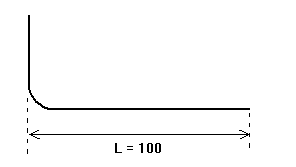
Minimum Y opening: During postprocessing, the DELEM DA-58T Bend Sequence calculates the optimal pressbeam opening. You can set a minimum required opening above the speed change point (Mute) to ensure precise and efficient operations.
Assignments – Backgauge possibilities

Backstop against sharp angle allowed:
Specify if backstop may be placed against an angle smaller than 90°.
• No = not allowed
• Yes = allowed
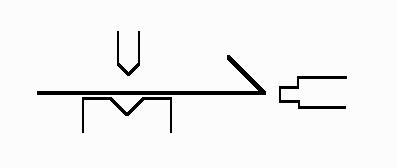
Backstop-die, intermediate bend:
Set to allow if there may be a bend between the die and backstop. Selection possibilities:
• Permitted
• If unavoidable permitted: if it results that no solutions are to be found, than it is permitted
• Prohibited: never allowed.
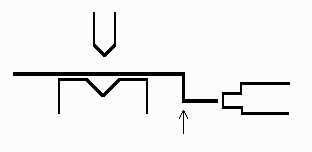
Edge tolerance:
In case backstop is against flat sheet an angle tolerance is allowed (deviation from horizontal). To be programmed in degrees of tolerance (0 – 90° input).

90 Degree tolerance:
The maximum allowed deviation from vertical (90°), when the backgauge is against a bent angle which is not 90°.
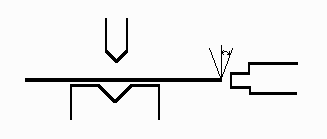
The lay-on backstop limit is important for press brakes with backgauge fingers on a moving R-axis. In this configuration, if the sheet length exceeds this limit, the X-axis and R-axis will automatically adjust to ensure the sheet rests on the backgauge finger. This functionality requires an enabled automatic R-axis.

Visualization with Show Bend Sequence
For continuous monitoring, the DELEM DA-58T provides a visual mosaic via the Show Bend Sequence function. This offers a step-by-step graphical overview, including completed and pending bends. Each image can be manipulated to improve your understanding and control of the bending process.

Through effective use of these features, mastering the DELEM DA-58T Bend Sequence becomes not only manageable but also a powerful skill for optimizing metal bending operations. Whether you prefer automated functions or manual control, this comprehensive guide can help streamline your workflow to achieve precise and efficient results.
Frequently Asked Questions(FAQ)
How can I set up the DELEM DA-58T Bend Sequence for optimal operation?
To optimize the DELEM DA-58T Bend Sequence, start by inputting the correct material properties and bending parameters. Ensure all measurements are accurate and utilize the system’s simulation feature to verify the bend sequence before initiating the process.
What should I do if my DELEM DA-58T Bend Sequence is not producing accurate bends?
If the DELEM DA-58T Bend Sequence results are inaccurate, check the calibration of your press brake. Ensure the backgauge and bending tools are properly aligned, and verify that the program settings match the intended bend angles and dimensions.
Is it possible to troubleshoot common issues with the DELEM DA-58T Bend Sequence on my own?
Yes, many common issues with the DELEM DA-58T Bend Sequence can be addressed by consulting the user manual, ensuring all software updates are installed, and checking for any mechanical obstructions or misalignments in the press brake setup.
Conclusion
In conclusion, mastering the DELEM DA-58T Bend Sequence can significantly enhance your efficiency and precision when operating a press brake. By focusing on key steps such as understanding the minimum Y opening, setting up the lay-on backstop limit, and familiarizing yourself with the control system’s capabilities, you can quickly become proficient in utilizing this system.
For further assistance, additional resources, or specific inquiries about the DELEM DA-58T Bend Sequence, feel free to contact our team. We are here to support your journey towards mastering the DELEM DA-58T Bend Sequence effectively.


