


When operators encounter Press Brake Servo System Errors, production often stops immediately, and many users are unsure where to start troubleshooting. From my experience working with CNC press brakes, most servo system alarms are caused by relatively simple issues such as encoder faults, wiring problems, servo parameter errors, or mechanical resistance. In this guide, I’ll explain how I typically diagnose and solve Press Brake Servo System Errors step by step, helping operators quickly restore machine performance while protecting positioning accuracy and servo motor stability.
Understanding Common Press Brake Servo System Errors
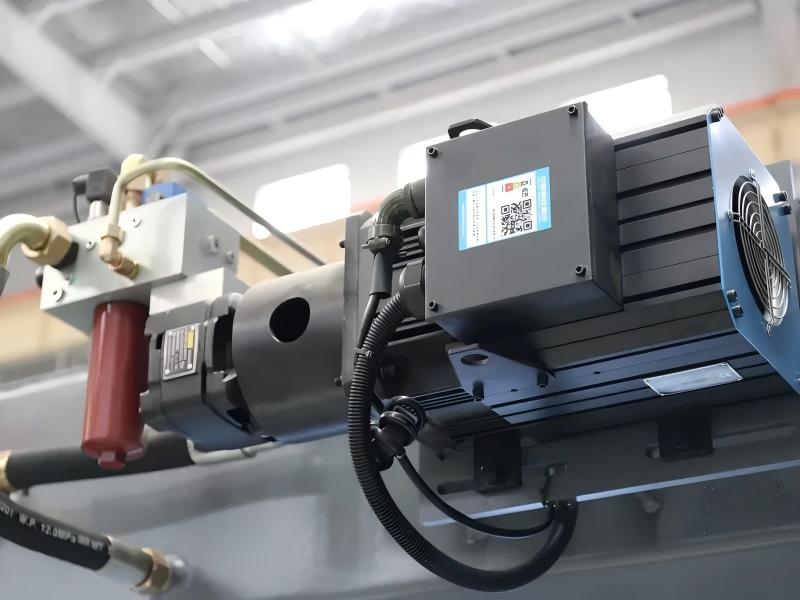
Before fixing the problem, I always start by identifying the type of servo error displayed on the CNC controller. Most modern press brakes use servo motors for the backgauge system or hydraulic synchronization control.
Typical Servo Alarm Types in CNC Press Brakes
Common alarms related to Press Brake Servo System Errors include:
- Servo overload alarms
- Encoder communication errors
- Position deviation alarms
- Servo drive overheating
- Servo motor overcurrent protection
Each of these alarms indicates a different root cause. Understanding the alarm code displayed on the controller (such as Delem, ESA, or Cybelec systems) helps narrow down the troubleshooting process.
Step-by-Step Diagnosis of Press Brake Servo System Errors
When I troubleshoot servo system problems, I follow a structured process to avoid unnecessary component replacement.
Step 1: Check Servo Drive Alarm Codes
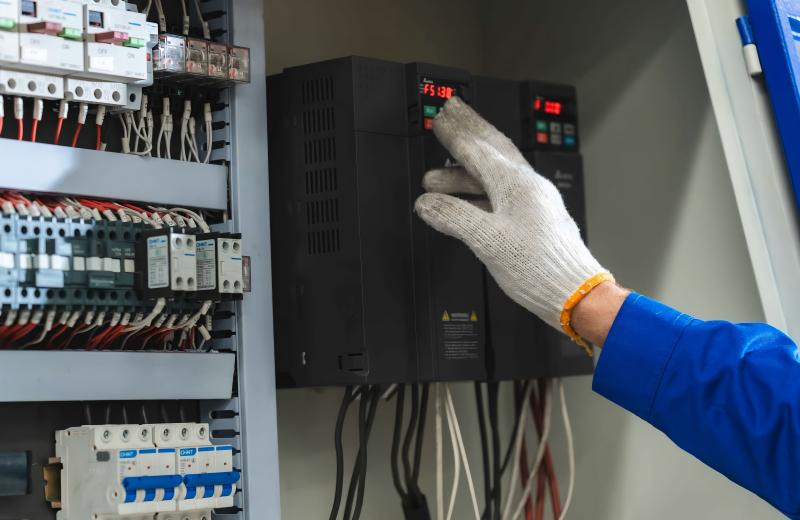
The first step is to check the servo driver display or CNC controller alarm message.
Most servo drives provide detailed diagnostic codes. I always record:
- Alarm code number
- Machine operating condition when the alarm appeared
- Axis involved (X-axis backgauge, R-axis height, etc.)
This information allows me to quickly determine whether the issue is electrical, mechanical, or parameter-related.
Step 2: Inspect Servo Motor Wiring and Connectors
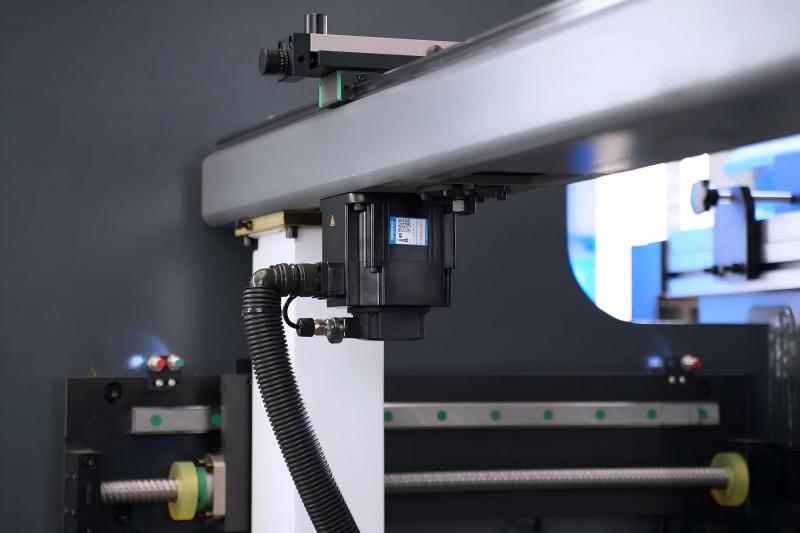
Loose cables are one of the most common causes of Press Brake Servo System Errors.
I carefully inspect:
- Motor power cables
- Encoder feedback cables
- Terminal blocks inside the electrical cabinet
Even small vibrations during long-term operation can loosen connectors. Tightening terminals and checking for damaged cables often resolves intermittent servo faults.
Step 3: Check Encoder Feedback Signals
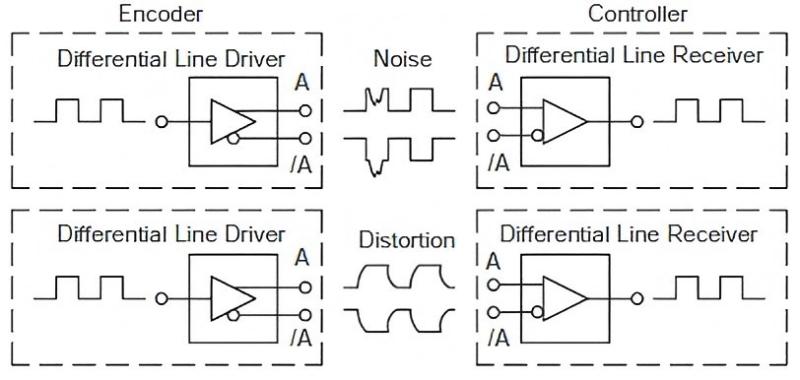
Servo motors rely on encoder feedback to maintain precise positioning.
If the encoder signal becomes unstable, the machine may display:
- Position deviation alarms
- Axis synchronization errors
- Unexpected servo shutdowns
I verify encoder connections and inspect cables for oil contamination or mechanical damage. If necessary, I test the encoder signal through the servo drive diagnostic menu.
Mechanical Causes of Press Brake Servo System Errors
Not all servo system problems are electrical. Mechanical resistance often triggers servo alarms.
Backgauge Linear Guide Resistance
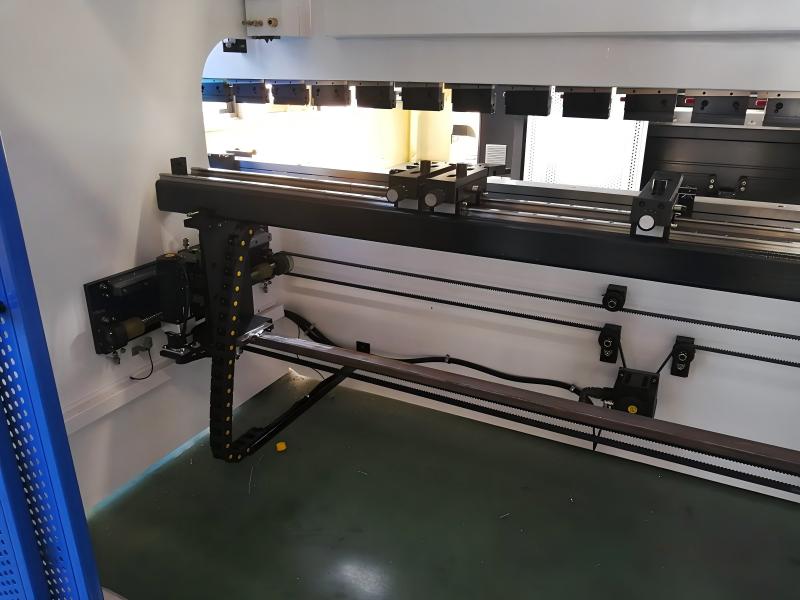
When the backgauge linear guides accumulate dust, metal chips, or insufficient lubrication, the servo motor must work harder to move the axis. This can trigger:
- Servo overload alarms
- Motor overheating
- Slow positioning speed
Cleaning the guide rails and lubricating ball screws significantly reduces resistance and restores normal servo operation.
Ball Screw Misalignment
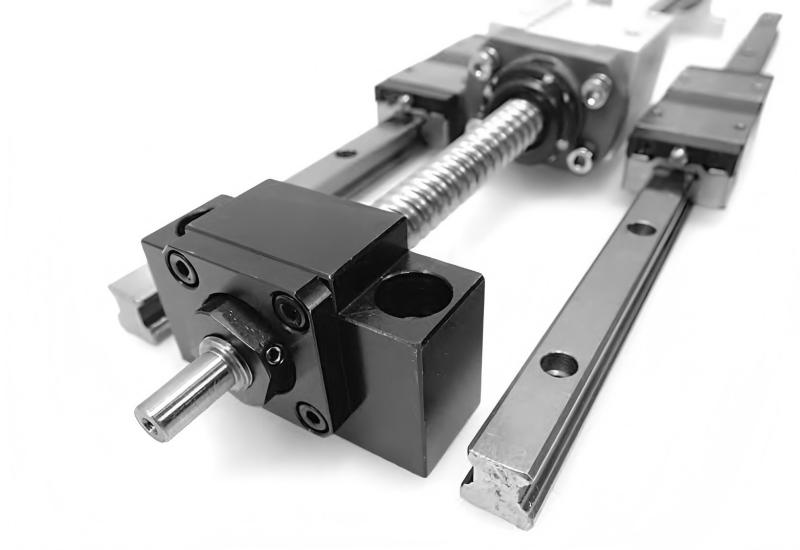
Improper installation or long-term wear may cause ball screw misalignment. In such cases, I check:
- Ball screw straightness
- Coupling alignment between servo motor and screw
- Bearing wear at both ends
Correcting alignment eliminates excessive load on the servo motor.
Servo Parameter Errors and Calibration Issues
Incorrect servo parameters are another common cause of Press Brake Servo System Errors, especially after maintenance or software updates.
Servo Parameter Configuration
If parameters such as acceleration, speed limits, or position tolerance are incorrect, the servo system may trigger alarms.
I usually verify:
- Servo gain parameters
- Acceleration settings
- Position deviation limits
These parameters should match the machine manufacturer’s recommended values.
Backgauge Position Calibration

If the backgauge position reference becomes inaccurate, the CNC controller may detect abnormal deviation.
To solve this, I perform:
- Axis homing calibration
- Backgauge reference reset
- Position accuracy verification using measurement tools
Proper calibration ensures the servo system operates within the correct tolerance range.
Preventive Measures to Avoid Servo System Errors
Preventing Press Brake Servo System Errors is much easier than repairing them during production downtime.
Routine Electrical Inspection
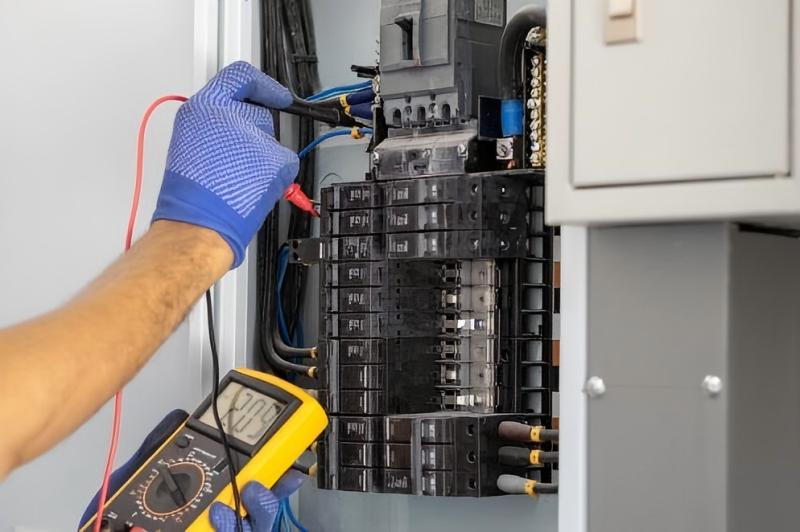
I recommend checking the electrical cabinet regularly to ensure:
- Stable servo drive cooling
- Clean ventilation filters
- Tight electrical terminals
Dust accumulation can cause overheating and communication instability.
Lubrication and Mechanical Maintenance
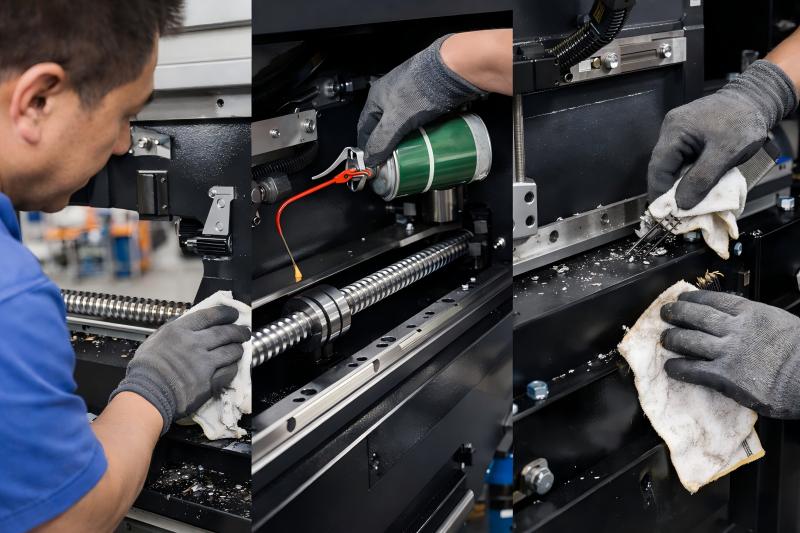
Proper lubrication of mechanical components greatly reduces servo load. Maintenance tasks should include:
- Cleaning ball screws
- Lubricating linear guides
- Removing metal debris from moving parts
This maintenance prevents unnecessary servo strain.
Monitoring Servo Temperature and Load
Most CNC controllers provide real-time monitoring of servo load and temperature.
If I notice abnormal increases in load or temperature, I investigate immediately to avoid future servo alarms.
FAQs
What causes Press Brake Servo System Errors most frequently?
In my experience, loose encoder cables, insufficient lubrication of backgauge components, and incorrect servo parameters are the most common causes.
Can mechanical resistance trigger servo alarms?
Yes. If ball screws or guide rails become dirty or misaligned, the servo motor experiences higher load, which can trigger overload alarms.
How can I quickly diagnose a servo system error?
Start by checking the servo drive alarm code. Then inspect wiring, encoder connections, and mechanical resistance before adjusting parameters.
How often should I check the press brake servo system?
I recommend performing a basic inspection weekly and a more detailed preventive maintenance check every month.
Conclusion
Press Brake Servo System Errors can interrupt production and affect bending accuracy, but most problems are solvable with a structured troubleshooting approach. By checking servo alarm codes, inspecting wiring and encoder signals, eliminating mechanical resistance, and verifying servo parameters, I can usually identify and resolve the issue quickly.
Regular preventive maintenance is the best way to keep the servo system stable and reliable. If you encounter persistent servo system problems or need technical assistance diagnosing your CNC press brake, our technical team is always ready to help you find the right solution and keep your production running smoothly.


