


If your machine refuses to power on or respond, you’re likely dealing with a Press Brake Startup Failure, and I know how frustrating that can be—especially when production is waiting. The good news is that most startup issues are not random; they usually come from a few common areas like power supply, safety circuits, hydraulic systems, or control settings. In this guide, I’ll walk you through a clear, step-by-step process to diagnose the problem, identify the root cause, and get your press brake back up and running as quickly as possible.
Understanding Common Causes of Press Brake Startup Failure78
Before jumping into troubleshooting, I always recommend understanding where the issue might originate. A Press Brake Startup Failure typically falls into three categories:
- Electrical system faults
- Hydraulic system issues
- Safety or control system interruptions
Knowing this helps you avoid blind troubleshooting and saves valuable time.
Step-by-Step Guide to Diagnose Press Brake Startup Failure
Step 1: Check Power Supply and Main Electrical Connection
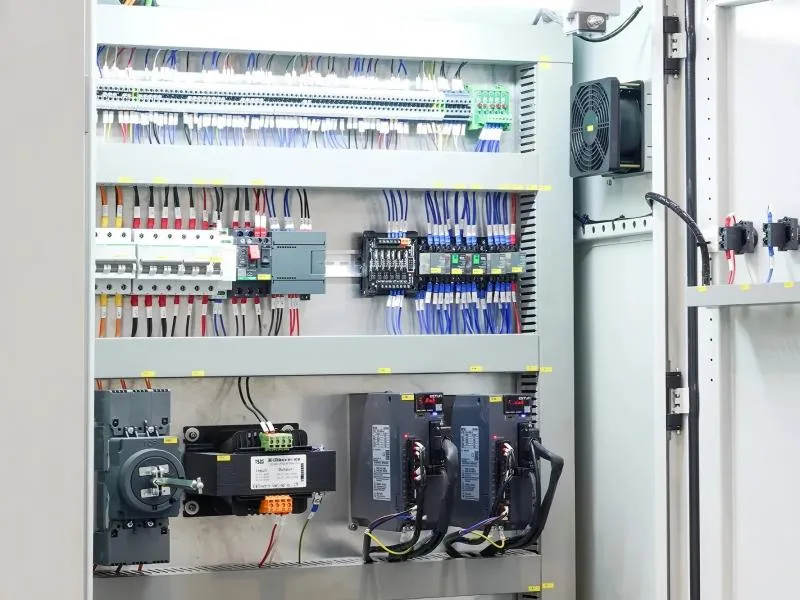
The first thing I always check is the power source. Many startup problems are surprisingly simple.
- Verify that the main power switch is turned on
- Check if the voltage supply is stable and within range
- Inspect circuit breakers and fuses for damage or tripping
If the control panel is completely unresponsive, the issue is often here. Restoring stable power can immediately resolve the Press Brake Startup Failure.
Step 2: Inspect Emergency Stop and Safety Circuits
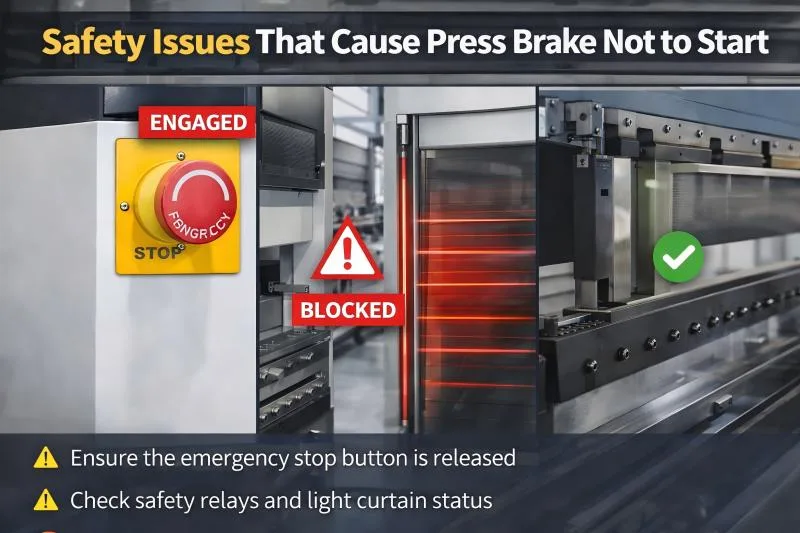
Modern press brakes are equipped with multiple safety systems. If any of them are triggered, the machine will not start.
- Ensure the emergency stop button is released
- Check safety relays and light curtain status
- Confirm that safety doors or guards are properly closed
I’ve seen many cases where the issue was simply an engaged E-stop. Always double-check this before moving forward.
Step 3: Verify CNC Controller and System Alarms
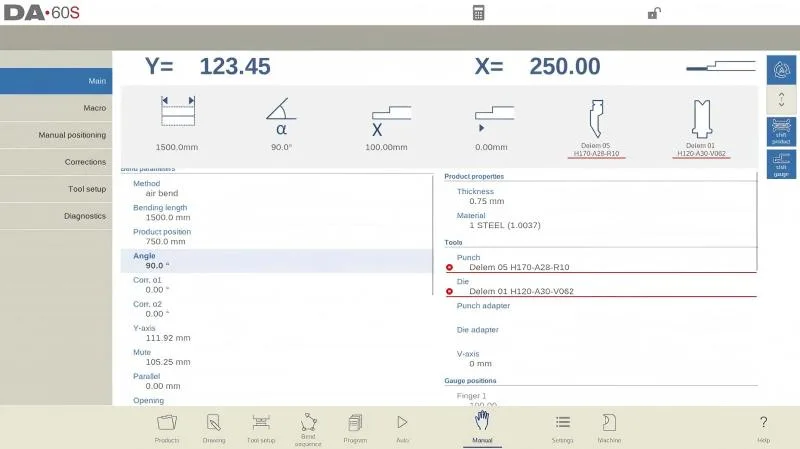
If the machine powers on but doesn’t start operation, the next step is to check the controller.
- Look for error messages on the CNC screen (e.g., Delem, ESA)
- Reset alarms according to the system instructions
- Check parameter settings and system initialization status
Controller alarms often point directly to the cause of the Press Brake Startup Failure, so don’t ignore them.
Step 4: Examine Hydraulic System Readiness
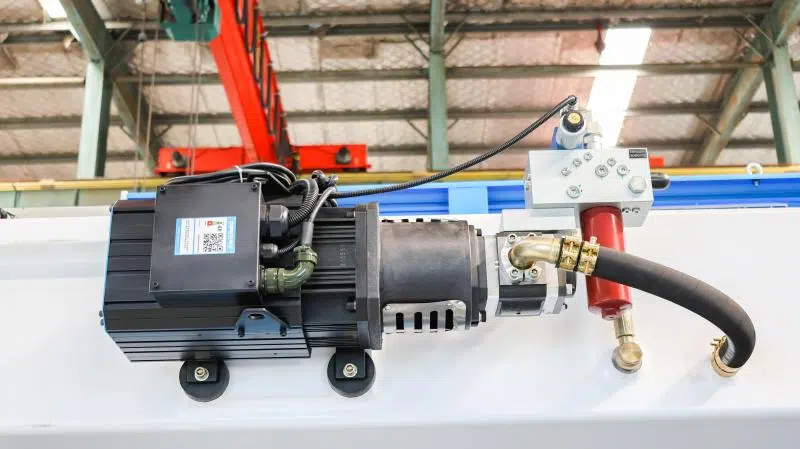
The hydraulic system must be ready before the machine can operate.
- Check hydraulic oil level and temperature
- Listen for pump startup sound
- Inspect for oil leaks or pressure loss
If the hydraulic pump doesn’t start, the machine will remain inactive. In some cases, low oil levels or faulty pressure sensors can block startup.
Step 5: Check Motor and Drive System
The main motor and servo drives are critical for startup.
- Inspect motor wiring connections
- Check for overheating or unusual noise
- Verify servo drive status and alarms
If the motor fails to engage, the Press Brake Startup Failure may be caused by electrical faults or drive system issues.
Step 6: Inspect Wiring and Electrical Components
Loose or damaged wiring is a common but often overlooked issue.
- Open the electrical cabinet and check terminal connections
- Look for burnt components or loose wires
- Ensure cooling fans are working properly
From my experience, vibration over time can loosen terminals, leading to intermittent startup problems.
Preventive Measures to Avoid Press Brake Startup Failure
Routine Electrical Inspection
Regularly checking electrical components helps prevent unexpected failures. Tighten terminals and replace aging components before they fail.
Hydraulic System Maintenance
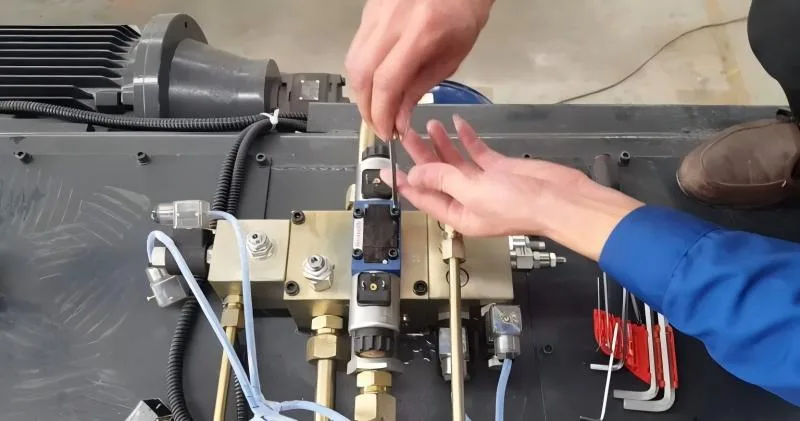
Keep hydraulic oil clean and at the correct level. Replace filters and inspect seals to ensure stable pressure during startup.
Proper Machine Shutdown Procedures
Always follow correct shutdown steps. Improper shutdown can lead to system errors when restarting the machine.
FAQs
What is the most common cause of Press Brake Startup Failure?
In my experience, power supply issues and emergency stop activation are the most common causes. These should always be checked first.
Why does my press brake have power but won’t start?
This usually indicates a safety circuit issue or a controller alarm. Check safety devices and review error messages on the CNC system.
Can hydraulic problems cause startup failure?
Yes. Low oil levels, pressure issues, or pump failure can prevent the machine from starting properly.
How can I prevent Press Brake Startup Failure in the future?
Regular maintenance, including electrical inspections, hydraulic checks, and proper operation, can significantly reduce the risk of startup issues.
Conclusio
Diagnosing a Press Brake Startup Failure doesn’t have to be complicated if you follow a structured approach. By checking the power supply, safety systems, controller, hydraulic components, and electrical connections step by step, you can quickly identify the root cause and restore normal operation.
From my experience, most startup issues are preventable with regular maintenance and proper operation habits. If you’re still facing problems or need expert assistance, feel free to reach out to our team—we’re always ready to help you keep your machines running efficiently.


