


Press Brake CNC Alarm Codes often appear unexpectedly, bringing production to an immediate stop and leaving operators unsure of what to do next. I’ve witnessed many unnecessary delays simply because the alarm message was not properly understood. If you’re trying to figure out what these codes really mean, this guide will help. I’ll walk you through how to interpret them step by step, determine whether the issue is electrical, hydraulic, or mechanical, and respond in a safe and efficient way. Once you understand the logic behind the CNC alarm system, troubleshooting becomes more systematic and far less stressful.
What Are Press Brake CNC Alarm Codes?
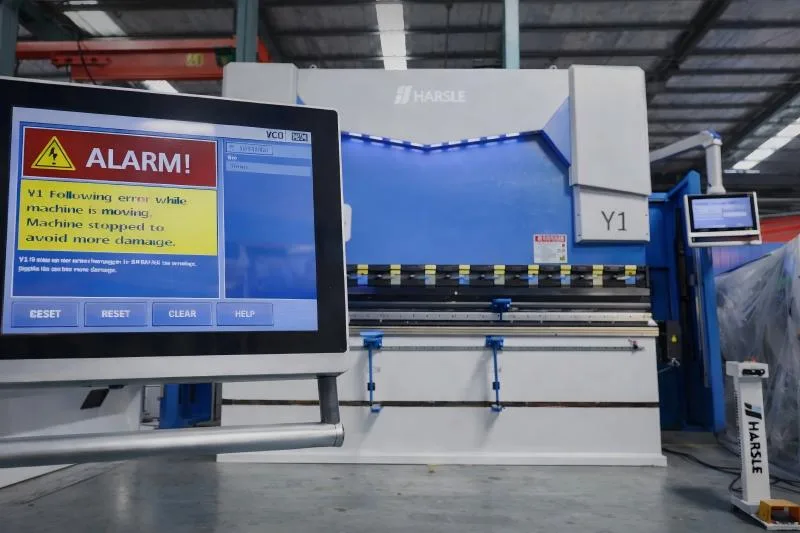
Press Brake CNC Alarm Codes are system-generated error messages displayed by the controller (such as Delem, ESA, or Cybelec systems). These alarms are designed to protect the machine, the tooling, and the operator.
In my experience, alarm codes usually fall into three main categories:
- Electrical system alarms
- Hydraulic pressure alarms
- Axis or backgauge positioning alarms
Each code is not just a random number—it represents a specific protection logic. Understanding this logic is the first step toward proper troubleshooting.
How to Read Press Brake CNC Alarm Codes on Delem or ESA Controllers
Different CNC systems display alarms differently, but the interpretation process is very similar.
Step 1: Record the Exact Alarm Message and Code Number
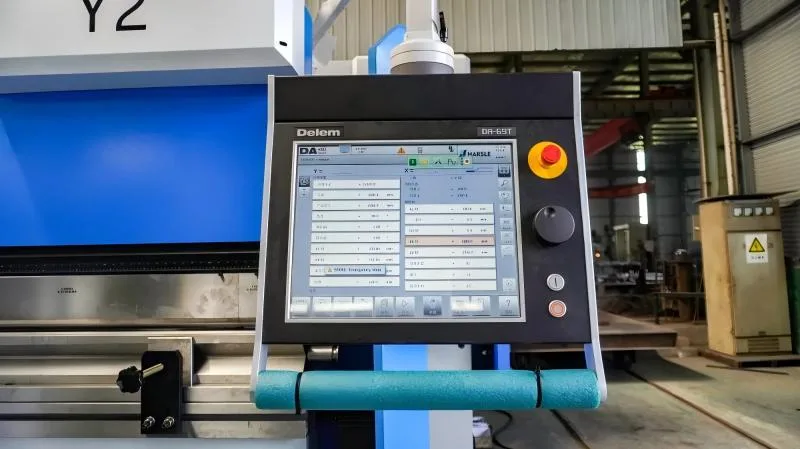
The first thing I always do is write down the complete alarm message, including the numeric code. For example:
- “Y1 Following Error”
- “Hydraulic Pressure Too Low”
- “Backgauge X-Axis Position Error”
Never rely on memory. Small differences in numbers may indicate completely different issues.
Step 2: Check the CNC Alarm History Log
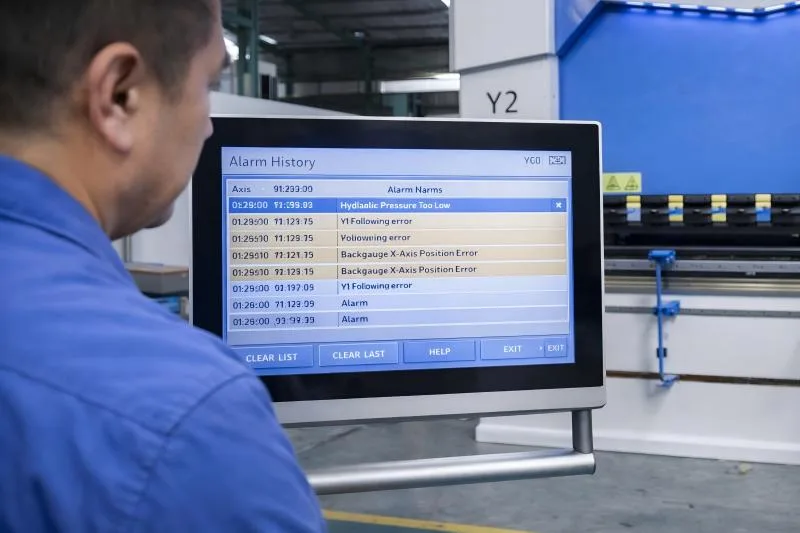
Most modern CNC systems store alarm history. Access the diagnostic page and review:
- When the alarm occurred
- Whether it has happened repeatedly
- If it happened during a specific operation
This helps determine whether the problem is occasional or systematic.
Step 3: Identify the System Category
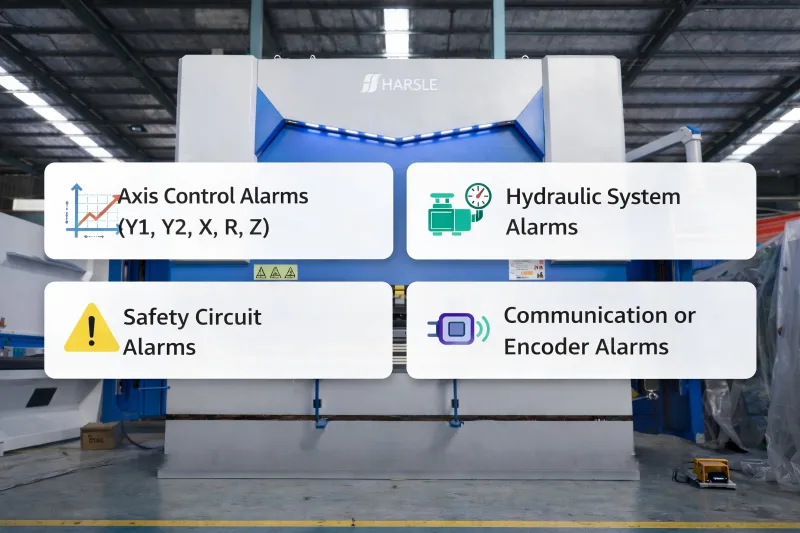
I divide Press Brake CNC Alarm Codes into functional areas:
- Axis control alarms (Y1, Y2, X, R, Z)
- Hydraulic system alarms
- Safety circuit alarms
- Communication or encoder alarms
Once I know the category, I narrow down the inspection area immediately.
Common Press Brake CNC Alarm Codes and Their Causes
Understanding typical alarm patterns saves time in real production environments.
Y-Axis Following Error Alarm
This alarm often indicates synchronization issues between Y1 and Y2 cylinders.
Possible causes include:
- Linear scale signal interference
- Servo valve malfunction
- Hydraulic pressure instability
- Loose encoder connection
I usually start by checking hydraulic pressure stability, then inspect feedback signals from the linear encoders.
Hydraulic Pressure Low Alarm
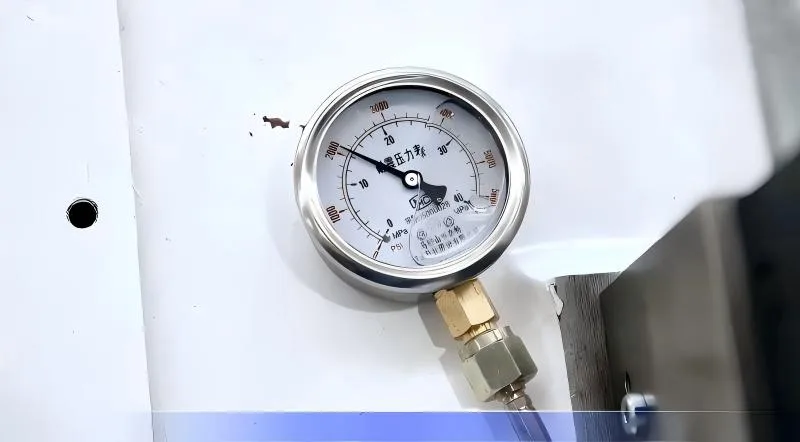
This is one of the most common Press Brake CNC Alarm Codes.
Common reasons:
- Low oil level
- Clogged oil filter
- Pump failure
- Oil temperature too high
Before assuming pump damage, I always verify oil level and filter condition. Many times, the issue is simple maintenance neglect.
Backgauge Positioning Error (X-Axis Alarm)
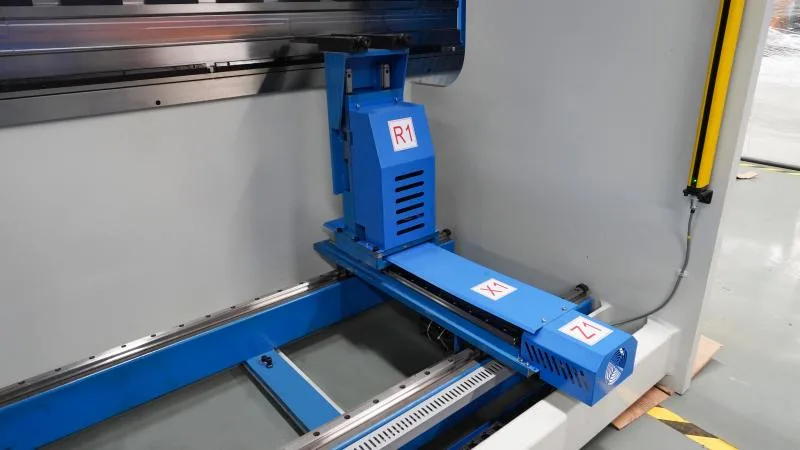
If the backgauge cannot reach its programmed position, the CNC will trigger an alarm.
Typical causes include:
- Ball screw contamination
- Servo driver overload
- Mechanical obstruction
- Parameter miscalibration
In such cases, I manually jog the axis slowly to check for abnormal resistance.
Step-by-Step Troubleshooting Process for Press Brake CNC Alarm Codes
Instead of reacting emotionally to an alarm, I follow a structured approach.
Step 1: Stop Operation Safely
Always stop the machine completely before inspection. Safety comes first.
Step 2: Check External and Simple Causes
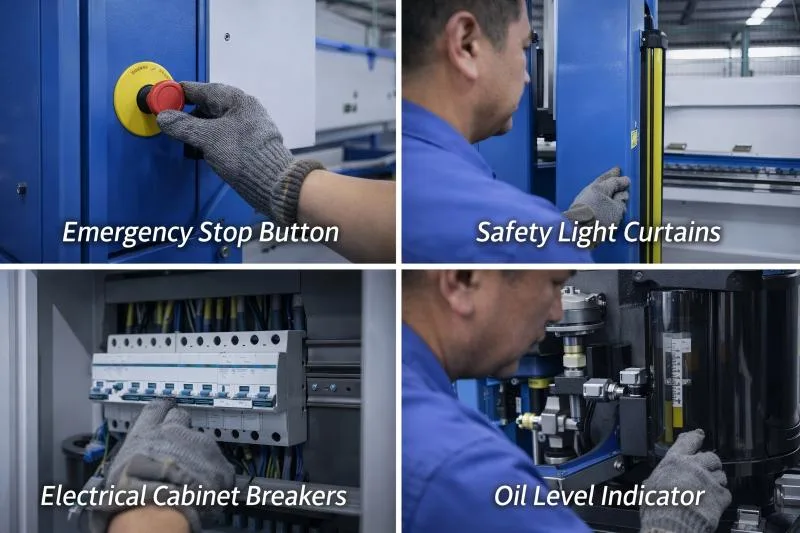
I inspect:
- Emergency stop buttons
- Safety light curtains
- Electrical cabinet breakers
- Oil level indicators
Many alarms are triggered by safety circuits rather than major faults.
Step 3: Inspect Electrical Connections
Loose wiring is a frequent cause of intermittent alarms. I check:
- Servo drive connectors
- Encoder cables
- Terminal blocks
Vibration over time may loosen connections.
Step 4: Verify Hydraulic Stability
Using the pressure gauge, I confirm whether the system reaches rated pressure. If not, I inspect:
- Pump condition
- Relief valve settings
- Oil contamination
Step 5: Review CNC Parameters Carefully
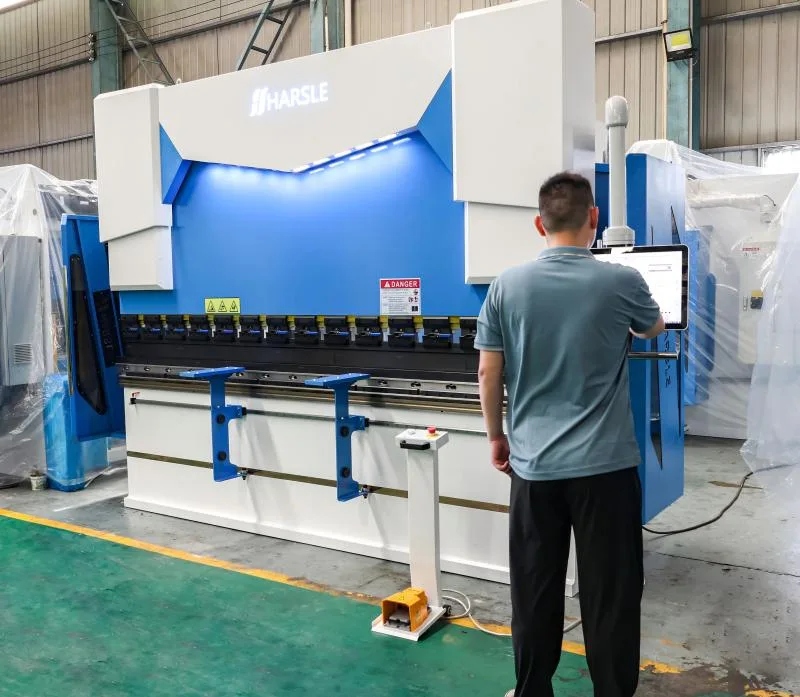
Incorrect parameter adjustments can trigger persistent alarms. When necessary, I compare current settings with the original factory parameters.
How to Prevent Frequent Press Brake CNC Alarm Codes
Prevention is always better than reactive repair.
Perform Routine Preventive Maintenance
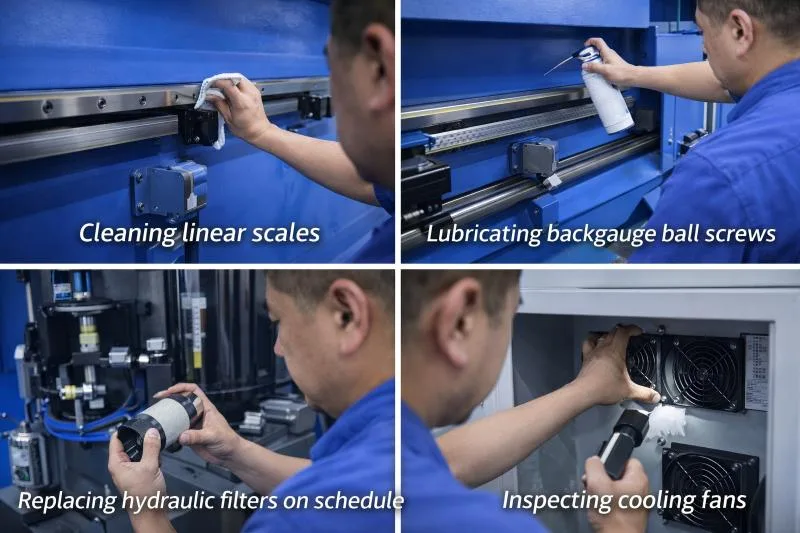
Regular inspection reduces alarm frequency. I recommend:
- Cleaning linear scales
- Lubricating backgauge ball screws
- Replacing hydraulic filters on schedule
- Inspecting cooling fans
Keep Electrical Cabinets Clean and Ventilated
Dust accumulation causes overheating and signal interference. Proper ventilation extends servo driver life.
Train Operators to Understand Basic Alarm Logic
Operators should recognize the difference between:
- Axis synchronization alarms
- Safety interlock alarms
- Hydraulic pressure warnings
Basic understanding prevents unnecessary panic and downtime.
FAQs
What should I do first when Press Brake CNC Alarm Codes appear?
Stop the machine safely, record the exact alarm message, and identify which system category the alarm belongs to before taking further action.
Can I reset Press Brake CNC Alarm Codes without fixing the issue?
You can clear some alarms temporarily, but if the root cause remains, the alarm will return. I always recommend diagnosing the underlying problem.
Are Press Brake CNC Alarm Codes different between Delem and ESA systems?
Yes, the numbering and interface differ, but the logic behind axis, hydraulic, and safety alarms is similar.
How can I reduce frequent CNC alarm occurrences?
Regular preventive maintenance, proper lubrication, stable hydraulic pressure, and clean electrical systems significantly reduce alarm frequency.
Conclusion
Understanding Press Brake CNC Alarm Codes is not about memorizing numbers—it’s about understanding the system logic behind them. From my experience, most alarms are early warning signals rather than catastrophic failures. If you follow a structured troubleshooting process—record the code, identify the category, inspect systematically—you can resolve issues quickly and safely.
If you are facing recurring CNC alarms or need professional technical support, I encourage you to contact our engineering team. Proper diagnosis and preventive maintenance will not only reduce downtime but also protect your press brake’s long-term accuracy and reliability.


